
You might have tried using the story viewer tool on the app or website, which is comparatively slow. If you want to watch TikTok stories quickly free without login, then don’t worry, we have a smart solution for that.
At the end of this article, you will learn about the TikTok story viewer on mobile Vs desktop. We will tell you step by step how to do it. You will also know about the best tool, TTStoryViewer.io, which helps you watch TikTok stories online free without any login, without apps, and completely for free.
Here you will know about the TikTok story viewer mobile and the TikTok story viewer desktop. So, read this guide till the end and get information.
What is a TikTok Story Viewer On Mobile Vs Desktop
First of all, the TikTok story viewer is an online tool that offers you:
- Watch TikTok stories online
- View stories on mobile or desktop
- Sometimes also helps you watch anonymously or without logging in
- Access to a free TikTok story viewer using a TikTok username
And our platform offers you to use the tool on both mobile and desktop. There will be no difference in the interface. You can use it easily and quickly on both devices. Now, you can also download TikTok videos free online on both devices without logging in.
Our TikTok story viewer online tool TTStoryViewer.io is:
- Free
- Fast
- Easy to use
- And works on all devices
Why People Choose Mobile or Desktop for Viewing TikTok Stories?
There are many advantages of using it on both devices. Here we have separately mentioned the advantages of using our tool on mobile and desktop.
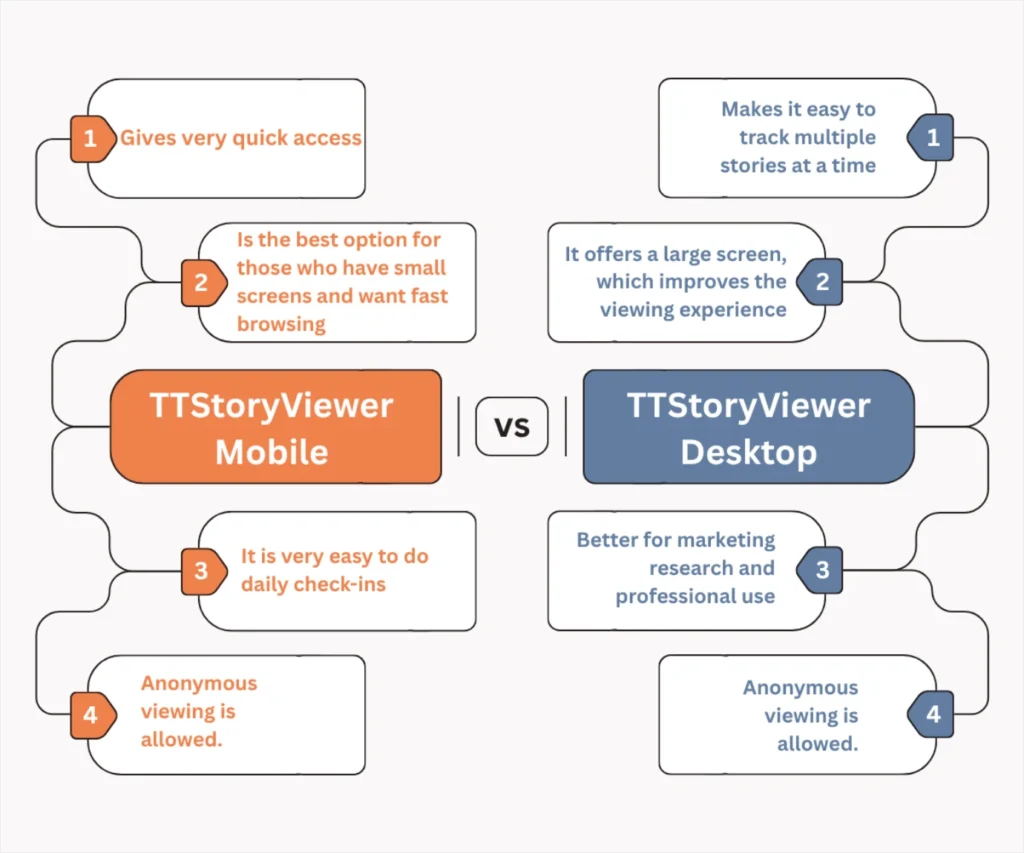
Mobile (Phone)
- Gives very quick access
- Is the best option for those who have small screens and want fast browsing
- It is very easy to do daily check-ins
Desktop (TikTok Story Viewer for PC / Laptop)
- It offers a large screen, which improves the viewing experience
- Makes it easy to track multiple stories at a time
- Better for marketing research and professional use
You can use our platform on any type of device. We provide versions for the TikTok story viewer on iPhone and the TikTok story viewer on Android. Our tool is optimised for everyone.
Viewing TikTok Stories on Mobile
Here is a step-by-step guide to viewing stores on mobile:

Method 1: Viewing Stories Using the TikTok App (Official Way)
- First, open the TikTok app
- Tap on the search icon at the top
- Then enter the username
- Open the required profile
- Tap on the story circle or the bubble around the profile picture
Limitations
- You must be logged in to your account
- Not able to view private stories until you are an approved follower
- Watch stories before they disappear in 24 hours
Method 2: Using TTStoryViewer.io (Highly Recommended)
This is the method we always recommend to our readers. Free Online TikTok story viewer by username might act as a game-changer for you. Here is a step-by-step guide to do it:
- Open your mobile browser
- Go to TTStoryViewer.io
- Enter the username you want to see the story for
- Tap on the search option
- Watch the story instantly
If the story doesn’t appear quickly or shows any issues, then you can fix the problem after reading our guide on problem fixes.
Advantages:
- No login is required
- Works anonymously
- Viewing TikTok stories by username is fast, simple, and easy to use
Viewing TikTok Stories on Desktop
TikTok story viewer online desktop helps you watch TikTok stories on desktop, laptops, or Pc for free without login. Here is how you can do it:

Method 1: Using TikTok Websites (Official Way)
- Open the TikTok official website
- Login into your account
- Search for the username you want to see the story for
- Open the required profile
- Click on the story bubble at the place of the profile picture
- Watch the story and enjoy
Limitations
- It requires a login
- Private stories will remain hidden
- It can be a bit slower than mobile speed
Method 2: Using TTStoryViewer.io
This method is highly recommended because it is quick, safe, and easily accessible.
- When stories appear, watch them and have fun
- Open any browser you have (Chrome, Edge, Safari)
- Search for TTStoryViewer.io
- Open the tool
- Paste the TikTok username
Why is this method better?
This method is considered most efficient because it works on any desktop. It also helps to view stories anonymously. Here, you will not need to install any unnecessary apps to get access to watch TikTok stories without logging in.
TikTok Story Viewer On Mobile Vs Desktop: Quick Comparison Table
| Features | Mobile | Desktop |
|---|---|---|
| Ease of use | Very Easy | Easy |
| Speed | Fast | Faster |
| Screen size | Small | Big |
| Best For | Quick Viewing | Professional/long sessions |
| Tool support | Yes | Yes |
| Anonymous viewing | Yes | Yes |
Here is a pro tip for our readers:
If you want to have a quick check of the story, then use the TikTok story viewer for mobile. It will also save your time. But if you want to have a detailed viewing or any research, you must go with the TikTok story viewer for desktop. Not only can users view videos, but now you can directly download TikTok videos to your device.
Best Way to View TikTok Stories in 2026
Don’t panic if you have any tension about watching stories. Just come to our website and use the viewer tool because it is the fastest, safest, and easiest way to use our free TikTok story viewer tool.
Our tool TTStoryViewer.io
- works on both mobile and desktop
- There is no login required for access
- Watch TikTok story online instantly
- It is anonymous that will secure your identity
So, don’t miss out on this free TikTok story viewer tool and get benefits from TikTok Story Viewer on mobile Vs desktop guide to choose a better platform for yourself.
Important Tips and Privacy Considerations
While using our anonymous TikTok story watcher, you should also be aware of important tips and consider some of the privacy measures.
- Due to the strong security of the official TikTok app, you cannot view private stories without the owner’s approval
- We use trusted and well-known tools
- Avoid giving access to unknown applications or softwares
- Ensure you are using a secure connection (HTTPS browser)
Our guide on TikTok Story Viewer on mobile Vs desktop will help you understand the rules for anonymous story viewer for different platforms, and choose the best.
Frequently Asked Questions (FAQs)
Q1: Can I use TikTok story viewer on mobile Vs desktop without logging in?
Yes, by using TTStoryViewer.io, you can view stories instantly.
Q2: Is mobile better than desktop for TikTok stories?
Both have their own benefits, like mobile is quick, whereas a desktop is used for detailed viewing.
Q3: Can I watch TikTok private stories?
No, private stories are visible only to the approved followers.
Q4: Can you view TikTok stories on a desktop?
Yes, you can use our story viewer tool for desktop to view stories.
Q5: How is TikTok desktop different from the app?
While using a TikTok story viewer app, you need to log in with your account, but it is not required when using it on a desktop.