
TikTok Video Downloader 2026
What is TikTok Video Downloader
A free TikTok video downloader is an online tool made by TTStoryViewer.io, which helps you save public TikTok videos directly to your iPhone, Android, Windows, Mac, tablets, and Laptops. You don’t need to create an account or install the app; just paste a TikTok username or Profile URL in your browser to watch and download the video as MP4.
Instead of screen recording and keeping the notifications bar closed, it is a comparatively easier method. It does not change the ownership of the video; instead only saves as a media file to your device, so that you can use it when you are offline.
Our tool is useful for many reasons:
- Can save your own TikTok content
- Watch the publicly available videos when there is no internet
- Store educational content to read when needed
- Preserve a creator-approved copy
- Review public content for research
- Store or download a video before the real owner removes it
TikTok app also allows an “Save Video” option, but it only works when the creator allows downloading the posts.
How to Download TikTok Video?
You can now download a public TikTok video in a few simple steps without any technical setup. Get a username or profile link, paste in TTStoryViewer.io, and click the download video button.
Step 1: Copy the TikTok Video Link
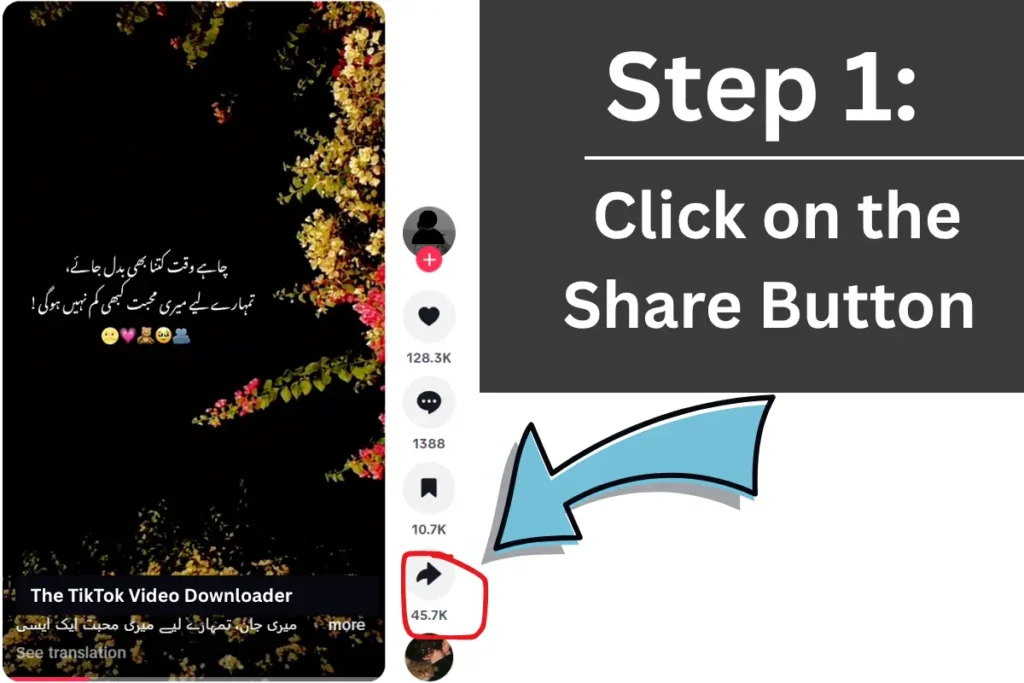
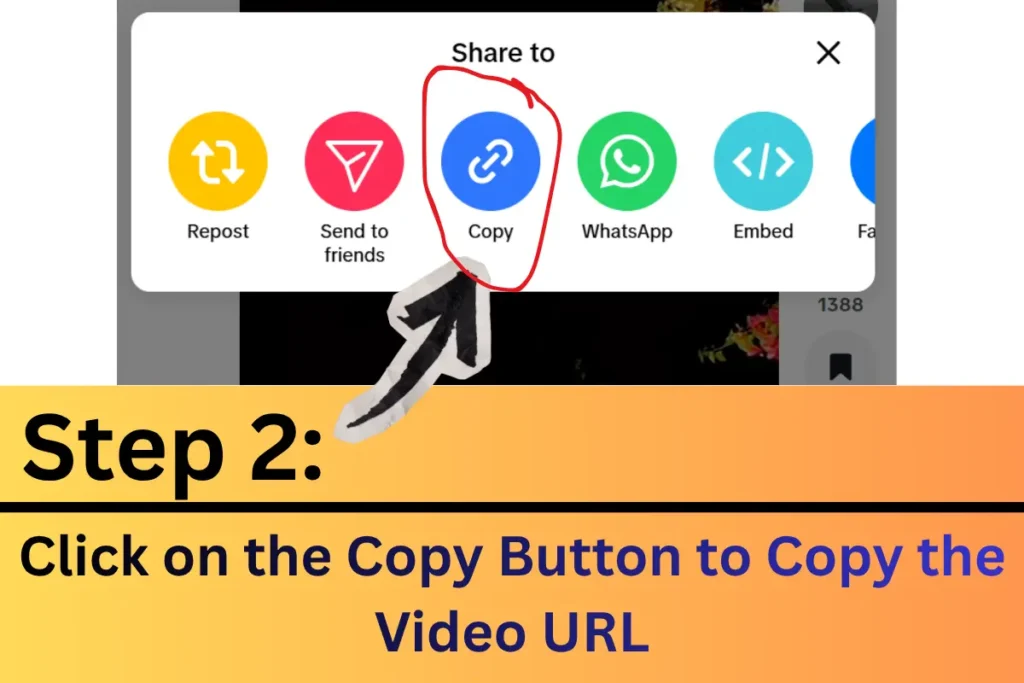
- Open the TikTok app and open the video you want to save
- Click on the share button and copy the link, or copy the username
- Check the URL of the video, not the creator’s profile
Step 2: Paste the Link in TTStoryViewer.io Video Downloader

- Open the TikTok video downloader tool on ttstoryviewer.io
- Paste the url which you copied into the search box
- Tap on the Download Video button. The tool will process and show the availability of video and save options
Step 3: Download and Save the Video
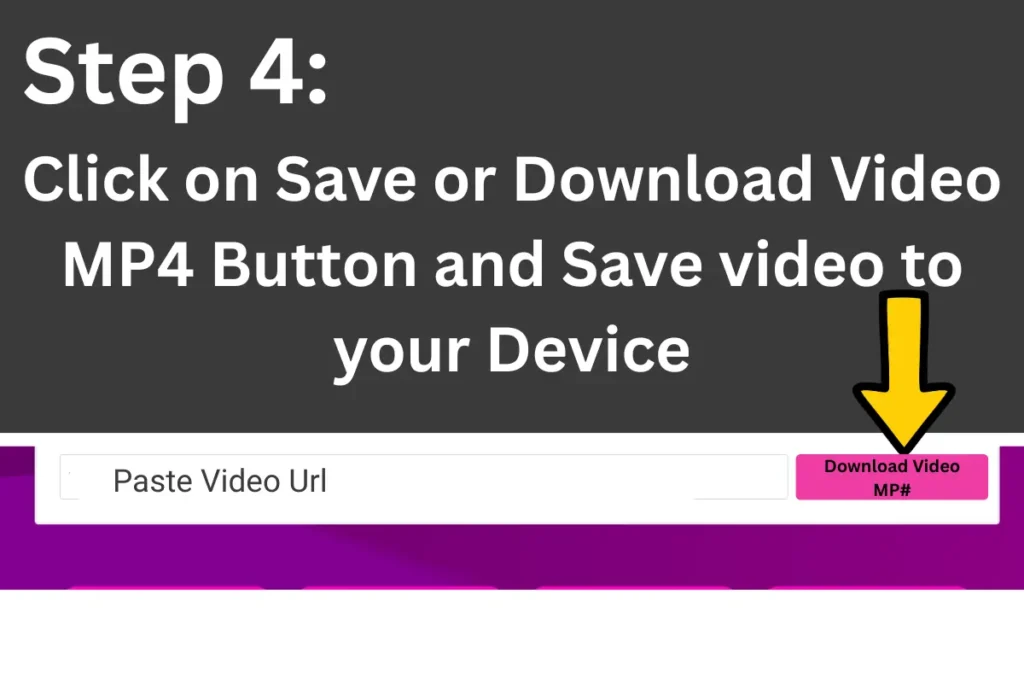
- Click on the Download video button
- Select the MP4 or no watermark option
- Your browser will save the video to your device
- Once the download finishes, you can open it and watch from your device
- Try to use the TikTok video downloader without watermark APK
Features of TikTok Video Downloader from TTStoryViewer.io
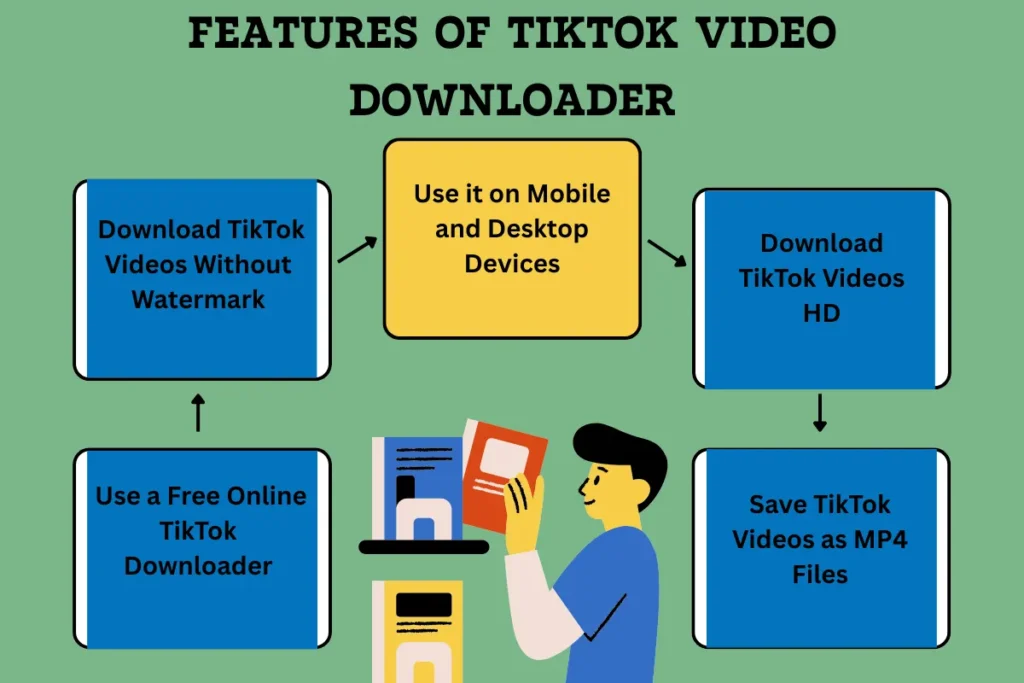
Our website provides a simple download public TikTok videos option without creating an account or installing any app. Directly from your browser. People mostly don’t like the TikTok video download app TikTok video download apk, but instead search for online websites with a safe TikTok Viewer. And if you are looking to save videos to iPhone, then you can use our TikTok Video Downloader Tool for iPhone.
Here are the reasons people prefer our downloader to others:
1: Download TikTok Videos Without Watermark
Our tool supports TikTok video downloader MP4 without watermark HD. Watermark is a logo or the creator’s username appearing on the video. The tool removes it automatically, but the video ownership or copyright is still with the creator.
2: Use a Free Online TikTok Downloader
TTStoryViewer.io provides a free online TikTok downloader. You can run it in a browser, and it supports public content and does not require:
- TikTok login details
- New login
- Or account registration
- Browser extension
- Any desktop applications
- Connections to your personal profile
3: Save TikTok Videos as MP4 Files
Nowadays, MP4 is the most supported format for online videos, which opens in smartphones, desktops, computers, browsers, televisions, and media players.
Saving TikTok video as MP4 makes it easier to:
- play offline
- Transfer between devices
- Store in a folder
- Send copies to colleagues
- Import to editing apps
4: Download TikTok Videos HD
The TikTok downloader tool downloads videos in the best available quality without blurring them. It makes it a cinema-quality video.
5: Use it on Mobile and Desktop Devices
The tt downloader works on browsers, so you can use it on:
- Android phones and tablets
- iPhones and iPads
- Windows computers
- Chrome books
- Laptops and desktop systems
You can use it on browsers like Google Chrome, Safari, Mozilla Firefox, Microsoft Edge, and Opera.
What Does “Without Watermark” Mean
When a user downloads a video, there is a TikTok logo moving on the screen of the video, and a username overlays on the saved photo, which is called a watermark. The without watermark feature of the tool removes this logo automatically.
This feature is widely used to save personal videos, keep clean material, or use videos with the creator’s permission. Remember, a clean copy is not copyright free, the footage stills belong to the creator.
The music also has separate rights. When you get permission to use the video, you only have the right to the video, but you still need to get permission from the audio owner for use.
Can I Download Private TikTok Videos?
No, our tool can only have access to publicly available videos. It cannot bypass TikTok’s security and privacy. TikTok pubic owners can also turn on or off video downloads.
A downloader can fail when:
- Creator deleted the video
- The post is limited to selected viewers
- TikTok has restricted content in that region
- Video URL has expired
- Post is no longer available
- The account is private
There are some limitations of downloader and viewer tool, that you should read to have an easier journey.
How Can I Download TikTok Videos on Android?
It is very easy to use the online tool. Open TikTok, copy the video URL, and paste in online TikTok video downloader with username on any browser. Select the available MP4 option. Android devices will download the file directly to your storage.
To find it in Chrome:
- Open Google Chrome
- Tap the three dot menu
- Select downloads
- Tap on the downloaded video
You can also watch TikTok Stories and content by username with our Story Viewer Online Tool.
Where is My Downloaded TikTok Video Saved?
Most of the browsers download the videos in a folder called Downloads. However, exact locations may depend on your browser, operating system, and personal settings. Some common locations include:
Device | Download location |
|---|---|
iPhone or iPad | Files app, Download folder |
Android | Files or download folder |
Windows | User downloads folder |
Mac | Downloads folder |
Chrome | Browser download history |
Safari | Downloads list files app |
When you cannot find a video, open your browser’s download history first. There is a possibility that the file is downloaded successfully, but landed in a different folder. You can also watch and download stories and videos anonymously with the tool.
How to Have Best Video Quality of TikTok Video Downloader?
Choose the highest quality available and don’t click the button multiple times, as this can reduce the quality every time it compresses.
The final quality depends highly on:
- quality of the original TikTok upload
- Available public TikTok source
- Selected download option
- Internet connection
- Additional compression by messaging apps
- Any editing or exporting after download
Remember that the TikTok video downloader tool does not improve the quality of the video, but instead preserves the available quality. You must make your own content with a camera or editing software.
Is Online TikTok Downloader Safe?
If a TikTok video downloader is safe, then it will not ask for your TikTok password, payment card details, or access to your personal account. TTStoryViewer does not require any of these details, and you can use it without signing in or creating an account.
Here are some safety tips. Follow them to stay safe:
- Check that you are using the correct domain TTStoryViewer.io
- Never enter your TikTok password in any downloader
- Avoid using unknown browser extensions
- Don’t install suspicious APK or executable files
- Always keep your browser updated
- Close all the misleading pop-ups or fake download buttons
- Scan unexpected files and then open them
- Expect the MP4 format for the downloaded videos
Is It Legal to Download TikTok Videos Online?
Downloading your own videos is legal, and you can also download other content, but reuse may be illegal. That’s why copyright protects original content.
Downloading a public video does not automatically permit:
- Repost it as your content
- Removes the creator’s credits
- Sell video to others
- Use the content in advertising
- Include it in a paid course promotion
- Upload the content on any other channel
- To claim ownership of the footage
- And not permitted to use copyrighted music commercially
Some countries and situations may allow it as fair use. In the United States and the United Kingdom, examples may include criticisms, commentary, teaching, scholarship, research, or news reporting. But if you want to use it commercially, then request permission from the owner or get legal advice.
What Are Responsible Ways to Use Downloaded Videos?
If you want to use publicly downloaded TikTok videos, use them lawfully, ethically, and for good purposes. Using it in a restricted way may cause issues for you.
Some fair, reasonable uses include:
Saving Your Own Content
Creators can keep a backup of their posts before deleting them, replacing their phone, or reorganising their gig ent library.
Offline Personal Viewing
You can save educational, instructional, or entertaining videos to watch them when you are offline.
Research and Reference
Researchers, journalists, students, and marketing specialists can download videos and use them to study trends, public commentary, or content analysis.
Sharing With Permission
You can ask the creator’s permission and download their video for any project, collaboration, classroom, news report, or campaign. Keep a record of permissions that might be helpful someday.
Can I convert TikTok Video to MP3?
TikTok online video downloading and TikTok audio downloading are both different tools. This page is made to save TikTok videos in MP4 format. If you want to save only sounds, music, speech, or narration, then use our TikTok MP3 downloader.
The audio downloading tool specifically explains supported audio formats, MP3 quality, music rights, ringtone use, and audio download troubleshooting. So, this guide is separated from the others. The tool is widely used by marketers and researchers to find rich content and results.
Why is TikTok Video Downloader Not Working?
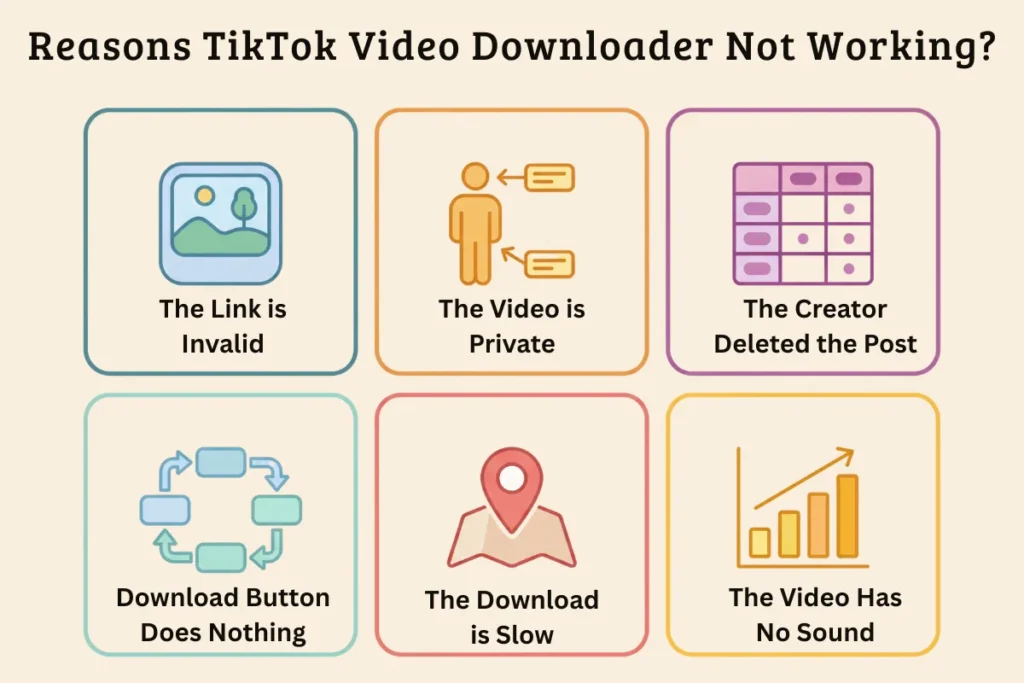
Some issues can occur while using the tool. These are not issues created by the tool, but are minor errors made by users. The errors may occur in an invalid link, private content, browser restrictions, or a temporary connection problem. Here we have mentioned some of the issues and their solutions.
The Link is Invalid
Copy the TikTok video link again from the share menu. Make sure that you have copied the link from a video, not from a profile, page, or advertisement.
The Video is Private
The tool is unable to show you the results of a private TikTok account. Instead, try a public account video.
The Creator Deleted the Post
Remember that when a video is deleted, the online tool cannot download it from its old public URL.
The Download Button Does Nothing
You can refresh the page and try the process again. Also, deactivate the content blockers and allow browser downloads.
The Download is Slow
It may be due to a slow internet connection, a large file size, a browser issue, or a temporary server load. Try switching between WiFi and mobile data.
The Video Has No Sound
Check that your device volume is on, and check using the media player on another device. The video might be using muted, unavailable, or region restricted audio.
Frequently Asked Questions
Q1: Is TTStoryViewer.io a free TikTok video downloader?
Yes, it provides a free browser based downloading tool to save publicly available videos.
Q2: Can I download TikTok videos without app?
Yes, by using TTStoryViewer.io, you can download TikTok videos online. Just copy the video URL, paste in tool, and download it.
Q3: Can I download a TikTok video without a watermark?
Yes, when a no watermark source is available for the video.
Q4: Does TikTok downloader work on iPhone?
Yes, you can use the tool in Safari or another browser.
Q5: Can I download private TikTok videos?
No, due to TikTok privacy restrictions, the tool cannot get the private videos.
Q6: Can I repost the downloaded video?
Yes, you can repost it when you get permission from the creator. Otherwise, it would be illegal to use it.
If you are facing any other problem, you can find its answer in our proper FAQ guide. Here, we have only mentioned questions that people ask and answered them briefly.
Download Public TikTok Videos Online
If you want to download public TikTok videos through a clean, browser-based process without login, then use ttstoryviewer.io. It is simple and easy to use. To have a fair use of the tool, you can read our terms and policies.
Just copy the video URL, paste it in the TikTok video downloader, and choose the available MP4 or no watermark option. It processes and shows you the results. The tool is made to work on all devices, such as Android, iPhone, Windows, Mac, tablets, and modern browsers for free.
After downloading the videos, use them responsibly. Never use a downloader tool to access private videos. So, don’t wait, paste a public TikTok video URL above and start browsing.