TikTok Parental Controls and Monitoring: Guide for Parents (2026)
Kids love watching TikTok videos, short videos, funny sounds, and dance trends because they grab attention fast. But many parents feel worried about what is my child watching. Who can message them? How much time is too much time for this thing?
This is a real problem for millions of families. Using TikTok is fun, but it also needs rules and regulations to ensure safe use. So, here is a good news for every parent who is worried about this problem, as a solution TikTok gives a TikTok Parental Controls tools to help. This guide from TTStoryViewer.io explains every tool in plain and simple words.
Why Parents Worry About the TikTok Platform
TikTok shows short videos picked by a smart system. This system works and shows the reels or content that a child watches, and shows more of the same. Sometimes that means fun videos, and sometimes it means content a parent would not like to watch himself.
While using the platform, many strangers can also send messages to some accounts. And screen time can grow fast without anyone noticing. Here we have found the top three worries most parents share. Some of the concerns show up again and again in parent forums and safety surveys:
- The videos that show risky challenges or trends that can encourage children to do the same
- Strangers sending messages or comments to their child’s account
- Hours of time passed without anyone realizing how long a child was scrolling
- They don’t know to whom the child follows or talks on the app
We think that none of these worries is unusual. They are some of the exact reasons TikTok built its safety tools in the first place.
How TikTok Verifies a Child’s Age
Most of the time, TikTok app requires every user to be at least 13 years old to create an account. The platform cannot fully verify a real age at sign-up, since anyone can type in a birth date that may be real or fake.
TikTok also uses machine learning tools to look for signs of underage use and remove or delete the accounts that break this rule. And still, no system catches every case, that is the reason, parents’ own awareness matters just as much as the app’s rules.
What Is TikTok Family Pairing?
Mainly, the family Pairing is TikTok parental control tool. It helps parents to link their TikTok account to their child’s account. Once it is linked, the parents can see and change many safety settings from their device to their child’s device.
TikTok made this genius tool five years ago. From that time, TikTok has added new features almost every year based on feedback from real families and safety experts.
How to Set Up Family Pairing
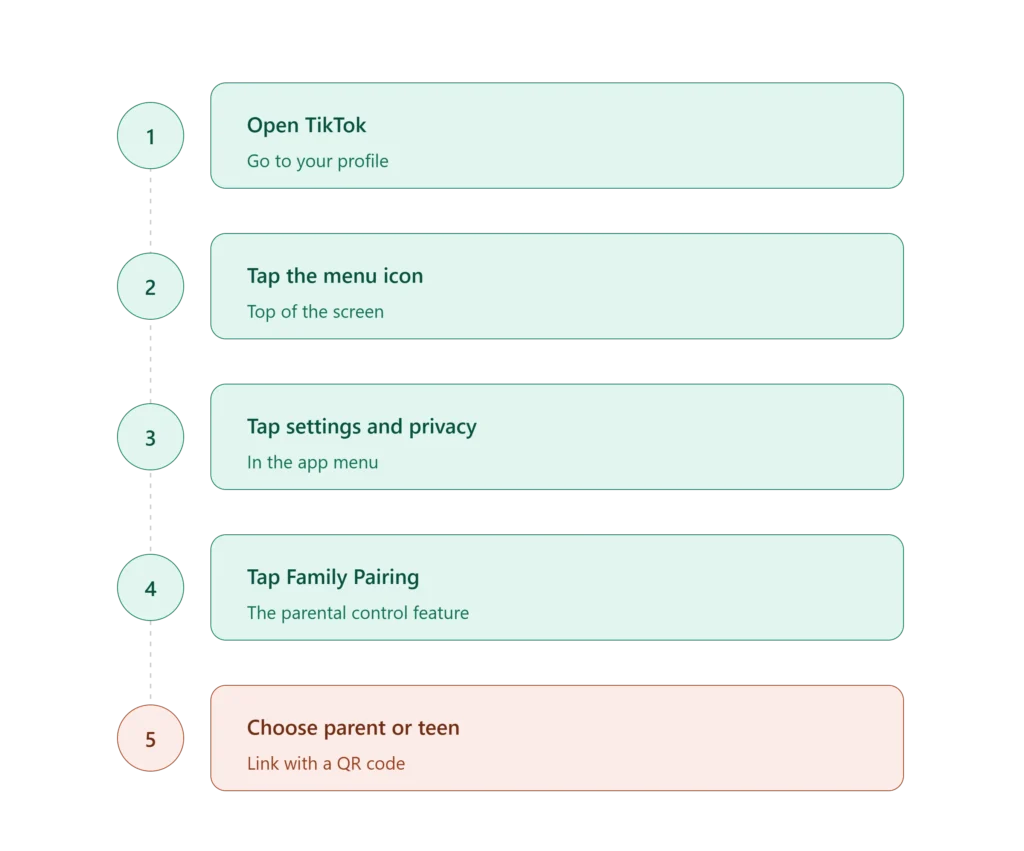
Pairing the parent’s device to the child’s device takes just a few minutes. Follow these simple steps:
- First, open TikTok and go to your profile.
- Then, tap on the menu icon at the top.
- Now, tap on “Settings and privacy”.
- Tap on “Family Pairing”.
- Lastly, choose “Parent” or “Teen”, then follow the steps to link accounts using a QR code.
Once it is linked, parents can now open Family Pairing anytime to view or change settings of their child’s content. Now, the child cannot remove or lower a rule set by a parent. He or she can only make a rule stricter, never looser.
What Family Pairing Can Control
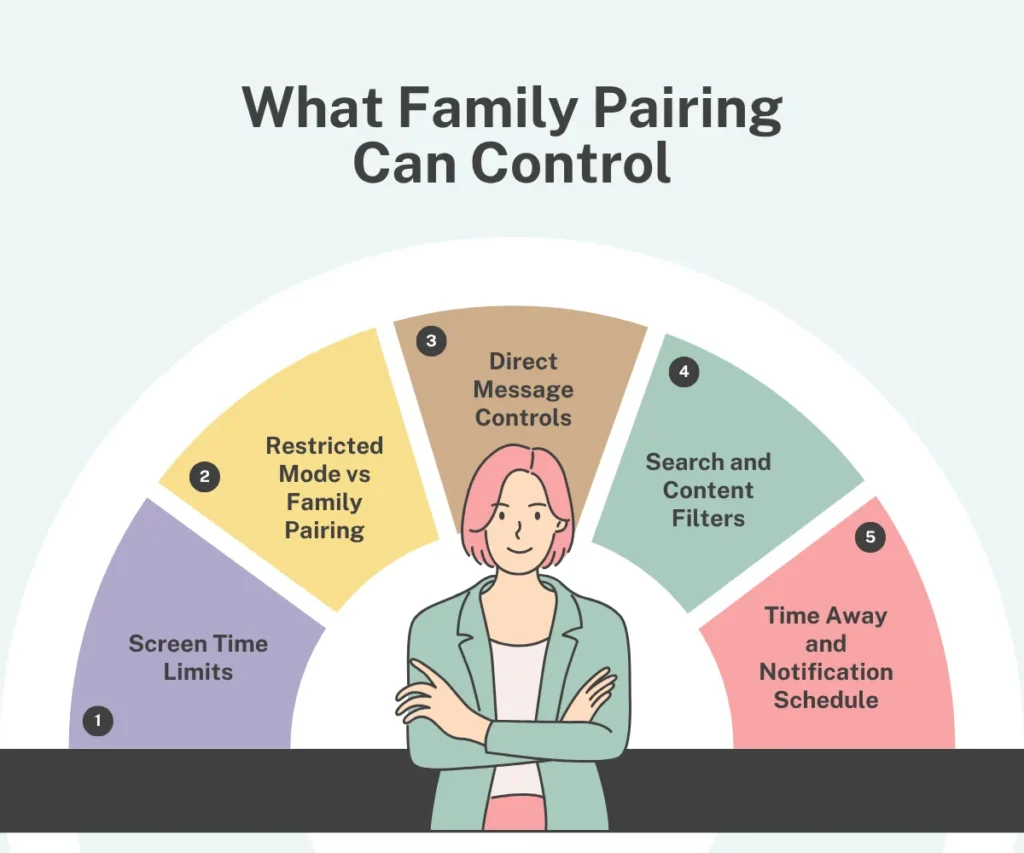
Family Pairing covers many settings in just one place. Here is a clear table of what it can do:
Control | What It Does |
|---|---|
Screen time limit | It sets how long a child can use TikTok each day |
Restricted Mode | This feature hides mature or unsuitable videos |
Direct messages | It controls who can message the child |
Search settings | Can block certain search terms and results |
Time Away | Blocks TikTok during set hours, like school or bedtime |
Notification schedule | Always turns off alerts during set hours |
Following and followers | Try to turn off alerts during set hours |
These are the seven safety features, all in one single feature, which are all managed from the parent’s own phone.
Screen Time Limits Explained
Remember that the TikTok app always sets a default limit of one hour a day for every user between 13 and 17 years old. So, now parents can change this specific timing through Family Pairing.
The parents can select any limit between 40 minutes and 2 hours. There can be different limits that parents can set for different days, too, so a weekend limit can be longer than a normal school day limit. When the daily limit is reached, TikTok asks for a passcode to continue, and it is only the parent who knows the passcode.
Restricted Mode vs Family Pairing: What’s the Difference?
When you hear about these two tools, they sound the same, but both work differently, and the Restricted Mode is a single filter. It helps to hide videos that are mature or unsuitable, and a child can turn this off alone if it was set up on their own device.
It is true that family Pairing is bigger and safer. It manages Restricted Mode plus six other settings, all directly from the parent’s account. A child cannot turn off any setting a parent controls through Family Pairing.
Direct Message Controls
Due to the feature of this tool, direct message requests from strangers can now be viewed by parents, and these are one of the biggest risks on any app. TikTok gives parents a clear choice here.
Through Family Pairing, a parent can set direct messages to:
- Everyone
- Friends only
- No one
Direct messages are not available at all for TikTok users younger than 16, no matter what setting options are chosen.
Search and Content Filters
The family Pairing can also limit what a child can search for. They can also turn this setting on to block search results for content marked as not suitable for all kind of ages.
On the other hand, the discover page also becomes more limited once this setting is active, and shows safer trending content instead of everything.
Time Away and Notification Schedule
The feature of Time Away can block TikTok completely during the hours a parent picks. School hours or bedtime are common choices, and notifications also have their own rule. TikTok automatically turns off push alerts for teen accounts between 9 PM and 8 AM, and parents can add extra quiet hours on top of that, like during school time.
What Family Pairing Cannot Do?
We all know that no tool is perfect, and honestly, it matters a lot here. Family Pairing has real gaps that parents should know:
- It only works inside the TikTok app itself, not on a web browser version.
- A child can still watch TikTok content through other apps or browser links.
- It cannot control what a child is doing on a different phone that is not linked.
- It cannot track messages that a child sends and receives word for word.
So, the parents who want full, cross app protection often need a second layer of protection at the device level, not just inside TikTok.
Third-Party Parental Control Apps
There are some of the families that add outside apps for extra coverage. These common names show up often in safety reviews:
| App | Main Strength |
|---|---|
| Bark | Watches for risky messages across 30+ apps, including TikTok |
| Qustodio | Covers apps, browsers, and full device screen time in one place |
| Boomerang | Blocks app installs before a child can even open TikTok |
We think that none of these apps can replace Family Pairing. Most of the safety guides suggest using a Family Pairing first, then adding one of these for full device coverage.
How TTStoryViewer Fits Into Safer TikTok Use
TTStoryViewer lets anyone view public TikTok stories anonymously and profiles without logging in to an account. Being a parent, this means a quick, simple way to check public content linked to a child’s account, you don’t need to install any unnecessary app, and no extra login is needed.
Being honest here, it matters the most, that’s why TTStoryViewer shows public content. It cannot let you see private messages, private accounts, or anything Family Pairing already covers. You can think of it as one small, extra window, not a full monitoring system.
Reporting, Blocking, and Content Alerts
TikTok added a feature that allows a teen to choose to notify a parent whenever they report a video. This does not show the parent the exact content, but instead, it opens the door for a conversation about what happened and why he reported the content.
When parents are linked through Family Pairing, they can also see which accounts their child has blocked. A newer feature, tested first in Europe, lets a parent block a specific account directly, removing its ability to contact or appear to the child at all.
Talking to Your Child About TikTok Safety
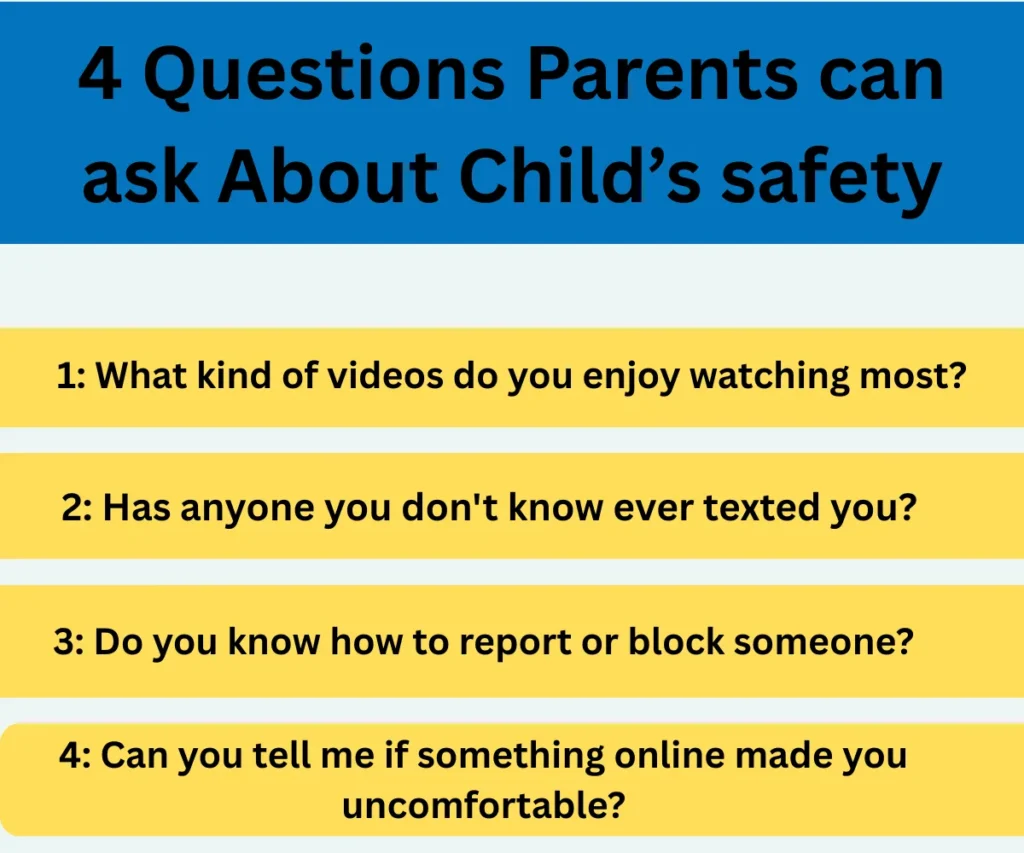
In real life tools alone do not solve every problem. There should be a short, honest conversation between the parents and their children that is better than any single setting.
Simple starting questions can help them share their issues with elders:
- What kind of videos do you enjoy watching most?
- Has anyone you don’t know ever texted you?
- Do you know how to report or block someone?
- Can you tell me if something online made you uncomfortable?
Those kids who know that their parents will listen to them calmly, without instant punishment, share problems far more often than those kids who fear getting their phone taken away.
A Short History of TikTok’s Safety Tools
TikTok launched Family Pairing five years ago as its first and only real parental control tool at that time. The early versions covered only screen time and Restricted Mode.
However, as time passed in the following years, TikTok added Time Away, notification schedules, follower visibility, search restrictions, and a feature letting teens alert their parents when they report a video. Each of the updates and features came after direct feedback from parents, teens, and outside safety groups. This continuous pattern of updates shows a real, ongoing effort rather than a one time fix.
Our Honest Review of TikTok Family Pairing
Testing Family Pairing shows a tool that does its basic job well, and setup takes only a few minutes. Settings apply across every device a child is logged into. A child truly cannot lower a limit once a parent sets it
The gaps are real too. TikTok is unable to stop a child from finding a TikTok video through a browser or a shared link outside the app. A determined teen with access to a shared family device could also find workarounds a single app cannot fully block.
Our honest thinking: Family Pairing is a strong first step but is not a complete answer to all insecurities and issues. With this, parents can start a conversation at home and add a device level tool if full coverage matters to your family.
TikTok Parental Controls by the Numbers
| Fact | Detail |
| Default screen time limit for ages 13–17 | 0 minutes a day |
| Custom limit range | 40 minutes to 2 hours |
| Minimum age to join TikTok | 13 years old |
| Minimum age to go LIVE | 18 years old |
| Minimum age for direct messages | 16 years old |
| Quiet notification hours for teens | 9 PM to 8 AM |
| Years since Family Pairing launched | 5 years |
Frequently Asked Questions
Q1: What is TikTok Family Pairing?
Family Pairing is a TikTok’s built in parental control feature that links a parent and child account so the parent can manage screen time, messages, content filters, and more.
Q2: How do I set a daily time limit on TikTok for my child?
First open Family Pairing, select your child’s account, then set a limit between 40 minutes and 2 hours through the screen time setting.
Q3: Can my child turn off Family Pairing controls?
No, the child can only make a setting stricter, never looser, once a parent sets it through Family Pairing.
Q4: Does Family Pairing block strangers from messaging my child?
Yes, the parents can set direct messages to Friends Only or No One and TikTok also blocks direct messages entirely for users under 16.
Q5: Is Family Pairing enough to keep my child safe on TikTok?
It covers most of the in app risks well, but it does not stop browser access or cover other apps. Many families add a device level app for full coverage.
Q6: Can TTStoryViewer replace parental control apps?
Not really, TTStoryViewer only helps view public TikTok content and works alongside tools like Family Pairing, not instead of them.
Q7: What age can a child join TikTok?
TikTok requires users to be at least 13 years old to have an account, but sometimes the platform cannot fully confirm a real birth date at sign up.
Q8: Can a teen send direct messages on TikTok?
Yes, but those who are aged 16 and older can send or receive direct messages on TikTok, regardless of Family Pairing settings.
Final Word
TikTok parental controls have grown a lot over five years, and Family Pairing now reduces many of the headaches that were carried by parents. Parents can pair it with an open conversation at home for the best result. You can also read our guide on current TikTok video trends to see what your children can actually watch online, or head back to the TTStoryViewer.io homepage for more TikTok guides.