TikTok Creative Center 2026 – Complete Guide on TikTok Business
If you want to know what’s trending on TikTok before planning your next video, Creative Center is one of the first places worth checking. It’s TikTok’s free research tool, and most people either don’t know it exists or only skim the surface of what it can do.
Quick Answer
TikTok Creative Center is a free research hub built by TikTok itself. Anyone can browse trending sounds, hashtags, videos, and top performing ads without an account, though some deeper metrics require a free TikTok Business account login. This guide covers how to actually use it, not just what it is.
What Is TikTok Creative Center?
TikTok Creative Center is TikTok’s own free tool for discovering trends, studying top ads, and researching keywords, all built on real TikTok data rather than a third party estimate.
What Does TikTok Creative Center Do?
It pulls together several research tools in one place: trending hashtags, sounds, videos, and creators; a searchable library of top performing ads; keyword search data; and creative insight breakdowns showing what makes certain videos perform well.
Who Should Use TikTok Creative Center?
Creators looking for content ideas, marketers planning a campaign, and ecommerce sellers researching trending products all get real use out of it. You don’t need to be running paid ads to benefit from the trend and content research side.
Is TikTok Creative Center Free?
Yes, basic browsing is free and doesn’t require an account. Some features, like the full metric breakdown inside Keyword Insights (CTR, CVR, CPA), need a free TikTok Business account login to unlock.
Do You Need a TikTok Account to Use It?
No, not for basic browsing. You can view trends, sounds, and hashtags without logging in. Logging in with a free Business account unlocks deeper metrics and lets you save trends, ads, and keywords into collections.
What Can You Find Inside TikTok Creative Center?
| Feature | What It Shows |
|---|---|
| Trends | Trending hashtags, sounds, videos, and creators |
| Top Ads | A searchable library of high performing TikTok ads |
| Keyword Insights | Search volume and performance data for specific keywords |
| Creative Insights | Data on which video styles, pacing, and formats perform best |
| Top Products | Trending products featured in TikTok ads, by category and region |
| Creative Tools / Symphony | TikTok’s AI assisted script and video creation tools |
How to Find Trending Sounds on TikTok Creative Centre
Step 1: Open the Trends Section
Head to Creative Center’s Trends area, where sounds sit alongside hashtags and videos.
Step 2: Find Songs or Sounds
Filter specifically for the sounds or songs category to skip past hashtag and video results.
Step 3: Choose Your Region
Sound popularity varies a lot by country, so set the region filter to match your actual audience before drawing any conclusions.
Step 4: Study the Trend Data
Look at how a sound’s usage has grown over time. A sound climbing fast tells a very different story than one that’s already flattened out.
Step 5: Decide Whether the Sound Fits Your Content
A trending sound only helps if it fits your niche naturally. Forcing an unrelated sound onto unrelated content rarely performs well.
How Do You Know if a TikTok Sound Is Actually Trending?
Growth direction matters more than the current usage count. A sound with fewer total uses but a steep upward curve is usually a better bet than a sound with huge historical use that’s already leveling off.
How to Find Trending TikTok Hashtags
How to Search Trending Hashtags
Creative Center’s Trends section lists hashtags with post volume and growth rate side by side, letting you compare momentum, not just raw popularity.
How to Filter Hashtags by Region
The same regional differences that apply to sounds apply here. A hashtag trending heavily in one country may barely register in another.
How to Compare Hashtag Popularity
Look at growth rate alongside total volume. A hashtag with a sudden spike signals an early stage trend; one that’s been flat and high for months is likely near saturation.
Should You Use Popular or Niche Hashtags?
Neither alone, a broad hashtag brings reach, a niche one brings a more relevant audience. Combining a couple of each tends to outperform stacking ten broad ones.
How to Find Trending TikTok Videos
How to Find Popular Videos
Creative Center’s Trends section surfaces currently trending videos, filterable by region and category, giving a direct look at what’s actually performing right now rather than a guess.
What Should You Study in a Trending Video?
Study the format, not just the content:
- Hook: what happens in the first one to two seconds
- Opening: how the scene or idea gets set up
- Editing: pacing, cuts, and transitions used
- Caption: how the text on screen supports the video
- Storytelling: how the idea builds toward a payoff
- CTA: what the video asks viewers to do, if anything
Should You Copy a Trending TikTok Video?
No, study the format instead of copying the content directly. Extracting the pacing, hook style, or structure and applying it to your own idea tends to perform better than a near identical copy, which usually reads as derivative to viewers who’ve already seen the original.
How to Find Trending TikTok Creators
Creative Center’s Trends data also surfaces creators gaining traction, useful for a few different purposes: spotting potential collaborators, studying a competitor’s content approach, or simply understanding who’s currently resonating in your niche.
How to Use TikTok Creative Center for Keyword Research
What Is TikTok Keyword Insights?
Keyword Insights shows search volume and performance data for specific terms people search on TikTok, similar in spirit to a search engine keyword tool but built on TikTok’s own search behavior.
How to Find Useful TikTok Keywords
Filter by region, objective, and category to narrow results down to terms genuinely relevant to your niche rather than broad, generic phrases.
How to Turn Keywords Into Video Ideas
A keyword with strong, growing search volume is a direct signal of what people are actively trying to find. Building a video that answers that exact search tends to outperform a video built around a guess.
Where Should You Use TikTok Keywords?
Work them naturally into captions, on screen text, and even spoken dialogue in the video itself, since TikTok’s search system reads all of these, not just the caption.
How to Use TikTok Creative Center to Research Top Ads
| Element | What to Study |
|---|---|
| Hook | How does the video grab attention in the first seconds? |
| Opening | What happens immediately after the hook? |
| Visuals | What catches the eye first? |
| Message | What is actually being communicated? |
| Structure | How is the video organized start to finish? |
| CTA | What action does the video ask for? |
Top Ads lets you filter by industry, region, and objective, which turns a huge library into a focused, relevant set worth studying closely rather than scrolling endlessly.
How to Find TikTok Trends by Country
A trend performing well in the United States may barely register in Pakistan, India, or the UK, and the reverse is just as true. Language, culture, local creators, and even which sounds are licensed regionally all shape what actually trends in a given country.
Always set Creative Center’s region filter to match your actual audience before treating a trend as relevant, rather than browsing the global default and assuming it applies everywhere.
Can TikTok Creative Center Help You Find Trends Before They Go Viral?
Partially, but don’t expect it to reveal a secret. A trend showing up in Creative Center already has meaningful traction, since it takes real usage volume to register there at all.
What it can do well is show you a TikTok trends growth direction early in that visible window, before it fully saturates. Combining Creative Center with your own TikTok search behavior and FYP observation gives a more realistic, complete picture than relying on any single source alone.
How to Tell if TikTok Trend Is Worth Using
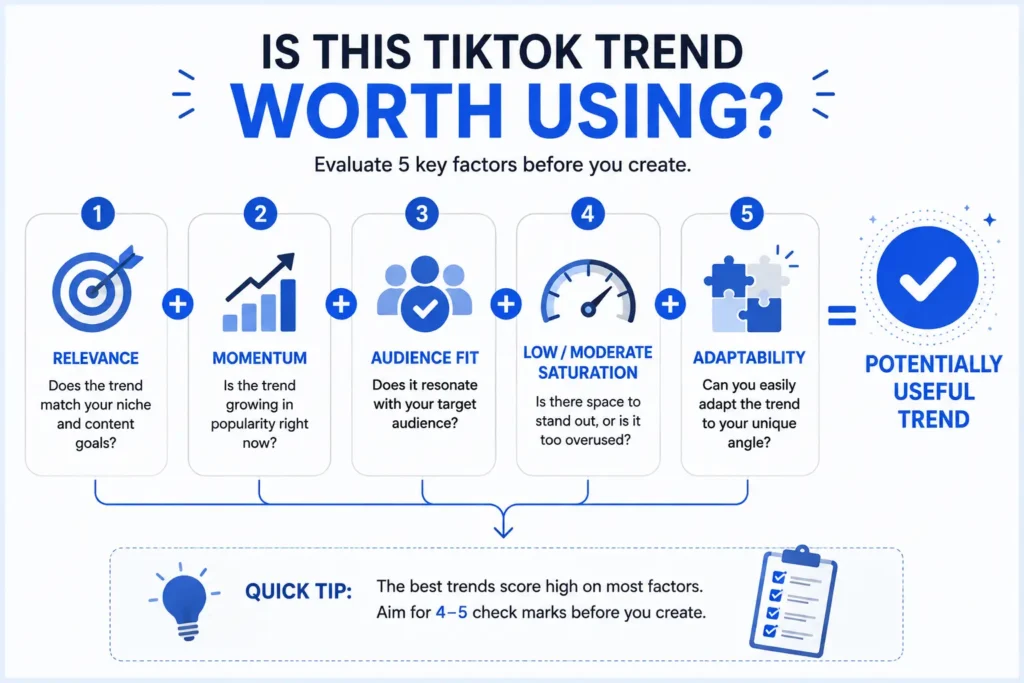
| Signal | Good Sign | Warning Sign |
|---|---|---|
| Relevance | Fits your niche naturally | Completely unrelated to your content |
| Momentum | Still climbing | Flat or already declining |
| Competition | Moderate | Extremely saturated |
| Audience | Matches your actual viewers | Different demographic entirely |
| Adaptability | Easy to adapt to your niche | Difficult to reproduce authentically |
| Brand fit | Feels natural | Feels forced |
A trend scoring well across most of these is genuinely worth your time. One that only wins on popularity alone often isn’t.
TikTok Creative Centre Vs TikTok App
| Factor | Creative Center | TikTok App (FYP) |
|---|---|---|
| Trend discovery | Structured, filterable, data backed | Algorithmic, personalized, less structured |
| Sounds | Searchable with growth data | Discovered passively while scrolling |
| Hashtags | Volume and growth shown directly | Not directly comparable in app |
| Videos | Filterable by region/category | Shown based on your personal activity |
| Keyword research | Dedicated tool (Keyword Insights) | Not available |
| Top Ads | Dedicated searchable library | Not visible as a separate category |
| Personalization | Broad, not tied to your account behavior | Highly personalized to you specifically |
Creative Center gives structured, comparable data. The FYP gives a personalized, real time feel for what’s resonating with an actual audience. Using both together beats relying on either alone.
7 Common TikTok Creative Centre Mistakes to Avoid
- Choosing a trend only because it looks popular, without checking niche fit
- Ignoring the region filter and assuming global data applies locally
- Copying a trending video directly instead of adapting its format
- Using unrelated hashtags just because they’re trending broadly
- Ignoring saturation signals and joining a trend too late
- Assuming a trending sound or hashtag guarantees views
- Skipping keyword research entirely and relying on guesswork for captions
Best TikTok Creative Center Tips for 2026
- Check the region filter first, every time, before drawing any conclusion from the data
- Combine Creative Center research with your own FYP observation for a fuller picture
- Save trends and keywords into a collection if you’re logged in, especially useful for teams
- Study format and pacing in trending videos, not just the subject matter
- Treat Keyword Insights as a caption and hook writing tool, not just an ads feature
Our Honest Review On TikTok Creative Center
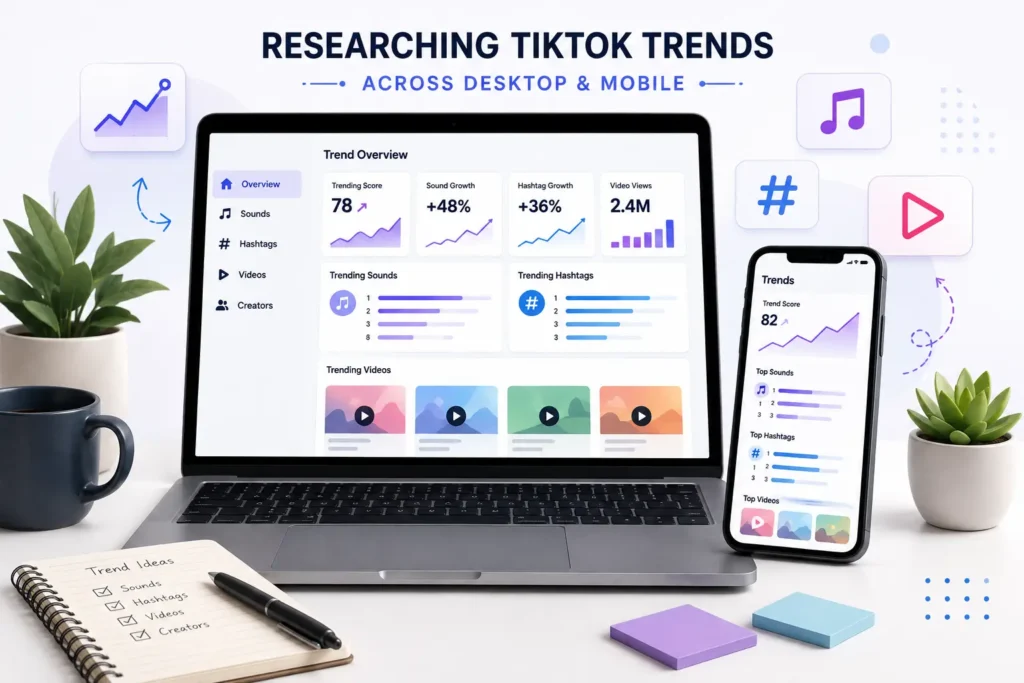
What we like: it’s free, built directly on TikTok’s own data, and covers a genuinely wide range of research needs, trends, ads, keywords, and creative patterns, all in one place.
What could be better: some of the deeper metrics sit behind a free account login rather than being fully open, and the keyword data reportedly covers roughly a six-month historical window, which limits longer term trend analysis.
Who should use it: creators and small marketers who want free, direct from TikTok research without paying for a third party tool.
Who may need additional tools: teams doing serious cross platform research, comparing TikTok against Meta, YouTube, or LinkedIn campaigns, will likely need something built specifically for that broader comparison, since Creative Center focuses on TikTok alone.
Based on the current features and workflow, our view is that Creative Center earns its place as a first stop for trend research, not necessarily the only stop for a team running research at scale.
Frequently Asked Questions
Q1: What is TikTok Creative Center?
It’s TikTok’s free research tool for discovering trending sounds, hashtags, videos, and top performing ads, built directly on TikTok’s own data.
Q2: Is TikTok Creative Center free?
Yes, basic browsing needs no account. Some deeper metrics inside Keyword Insights require a free TikTok Business account login.
Q3: How do I find trending sounds on TikTok Creative Center?
Open the Trends section, filter for sounds, set your region, and check the growth trend before deciding if a sound fits your content.
Q4: How do I find trending hashtags?
The Trends section lists hashtags with post volume and growth rate, filterable by region and category.
Q5: Can I find trending TikTok videos?
Yes, the Trends section surfaces currently trending videos filterable by region and category.
Q6: Can I use TikTok Creative Center without an account?
Yes, for basic browsing. An account is only needed for deeper metrics and saving items to a collection.
Q7: Can TikTok Creative Center help me find viral trends?
It can show trends already gaining real traction and their growth direction, but a trend visible there already has meaningful usage, so treat it as an early stage signal rather than a guaranteed prediction.
Q8: Does TikTok Creative Center show trends by country?
Yes, region filtering is available throughout Trends, Top Ads, and Keyword Insights.
Q9: What are TikTok Top Ads?
A searchable library of high performing TikTok ads, filterable by industry, region, and campaign objective, useful for studying real creative patterns.
Q10: What is TikTok Keyword Insights?
A tool showing search volume and performance data for specific keywords people search on TikTok, useful for writing better captions, hooks, and video topics.
Q11: Is TikTok Creative Center useful for beginners?
Yes, the trend and video research side is genuinely useful even without any ad experience or a Business account.
Q12: Does TikTok Creative Center work on mobile?
Yes, it works through a mobile browser, though a desktop screen tends to make comparing several trends at once easier.
Sources & Further Reading
This guide draws on current 2026 coverage of TikTok Creative Center’s features from bir.ch, Nestscale, Spocket, Social Tradia, AdManage, StackMatix, and AdLibrary, cross checked against each other for consistency, alongside TikTok’s own Creative Center platform.
Suggested Metadata
Suggested H1: TikTok Creative Center 2026: How to Find Trending Sounds, Hashtags & Videos
Infographic Prompts
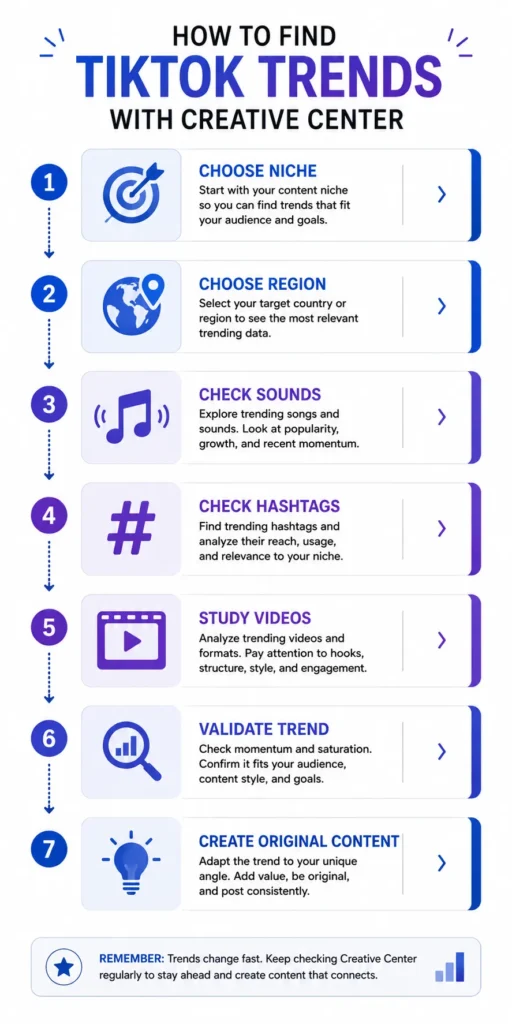
Infographic 1 — “How to Find TikTok Trends With Creative Center” Flow: Choose Niche → Choose Region → Check Sounds → Check Hashtags → Study Videos → Validate Trend → Create Original Content Prompt: A clean, modern seven-step vertical flowchart, white background, blue and purple accents, simple icons per step, no TikTok logo. Alt text: Seven-step flowchart for finding and validating TikTok trends using Creative Center. Recommended location: After the “What Can You Find Inside” section.
Infographic 2 — “Is This TikTok Trend Worth Using?” Shows: Relevance + Momentum + Audience Fit + Low/Moderate Saturation + Adaptability = Potentially Useful Trend Prompt: A simple equation-style graphic with five labeled icons feeding into a checkmark result, light background, blue accent color. Alt text: Five-factor scorecard for deciding if a TikTok trend is worth using. Recommended location: Directly above the Trend Evaluation Scorecard table.
Image Prompts
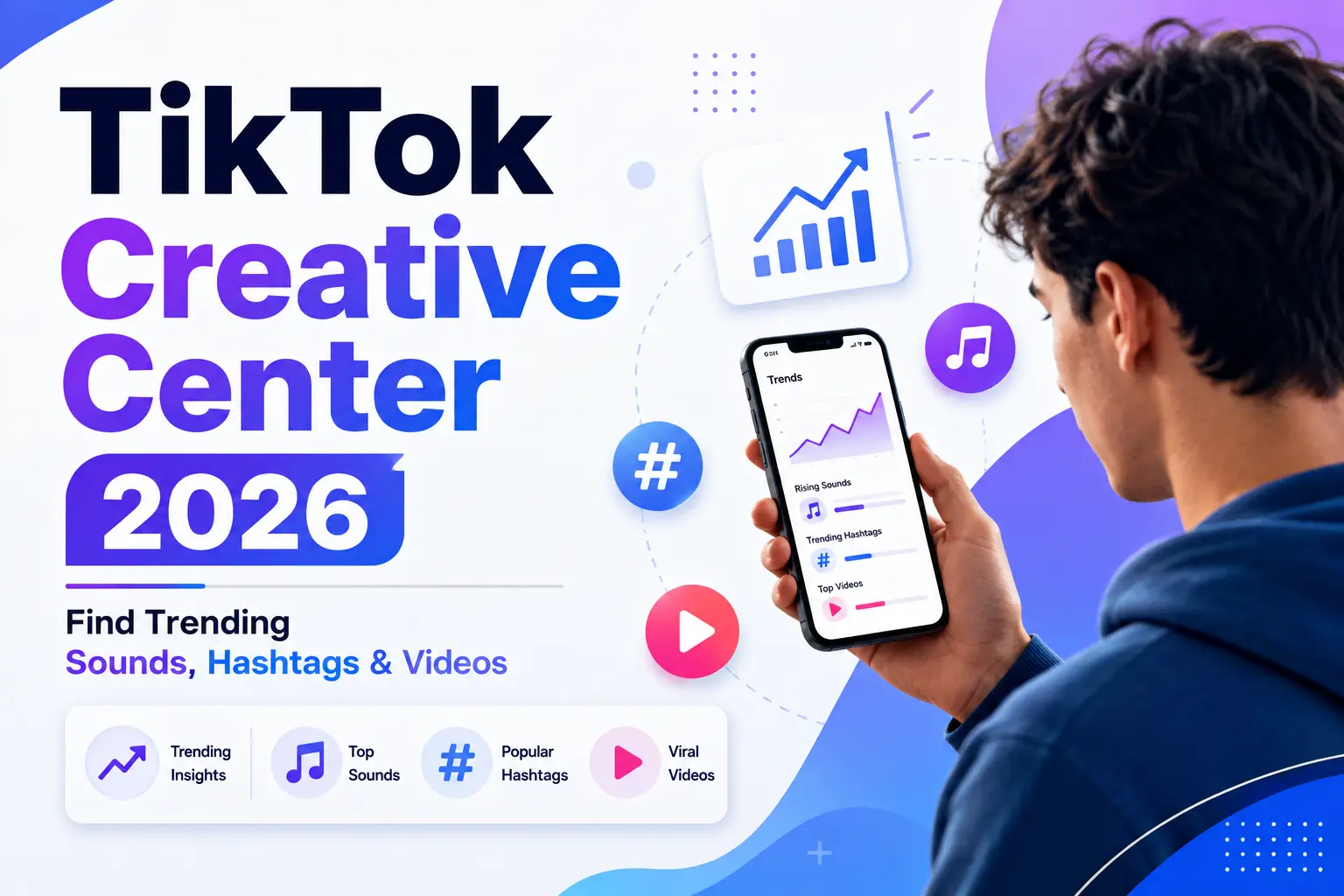
- Featured image — Prompt: A modern editorial-style graphic showing a person researching TikTok trends on a smartphone, with simple icons for a trend chart, music note, hashtag, and play button nearby, title text “TikTok Creative Center 2026,” subtitle “Find Trending Sounds, Hashtags & Videos,” clean layout, blue/purple accents, plenty of whitespace, no fake screenshots or logos. Alt text: “TikTok Creative Center 2026 featured image.” File name: tiktok-creative-center-2026.jpg
- Workflow image — Prompt: A flat illustration of a laptop and phone side by side showing generic trend-chart graphics, no real interface shown. Alt text: “Researching TikTok trends across desktop and mobile.” Location: Near the workflow/steps section.
- Creator research image — Prompt: A simple illustration of a person comparing two video thumbnails side by side with a magnifying glass icon. Alt text: “Studying trending TikTok video formats.” Location: Near the “trending videos” section.
Video Recommendation: No specific official TikTok tutorial video could be verified as current for this guide; rather than link an unverified or possibly outdated video, this section is intentionally left without an embed.