Which TikTok New Features are Launched Recently – in 2026
TikTok has changed a lot in 2026, new ownership, a new feed for discovering local profitable businesses, more control over AI content in your feed, and expanded creator tools. This guide on TikTok New Features tracks the updates that are actually confirmed, tells you who gets each one, and separates official launches from features still being tested. It’s updated as new changes are verified.
A quick note on how we label things, since a lot of “TikTok update” content online blurs this together:
| Label | Meaning |
|---|---|
| Official | TikTok has announced and launched this |
| Rolling out | TikTok is gradually expanding availability |
| Testing | TikTok is testing this with a limited group |
| Unverified | Circulating online, but not confirmed by TikTok or reliable reporting |
What’s new right now
| Feature | Status | Who gets it | Where |
|---|---|---|---|
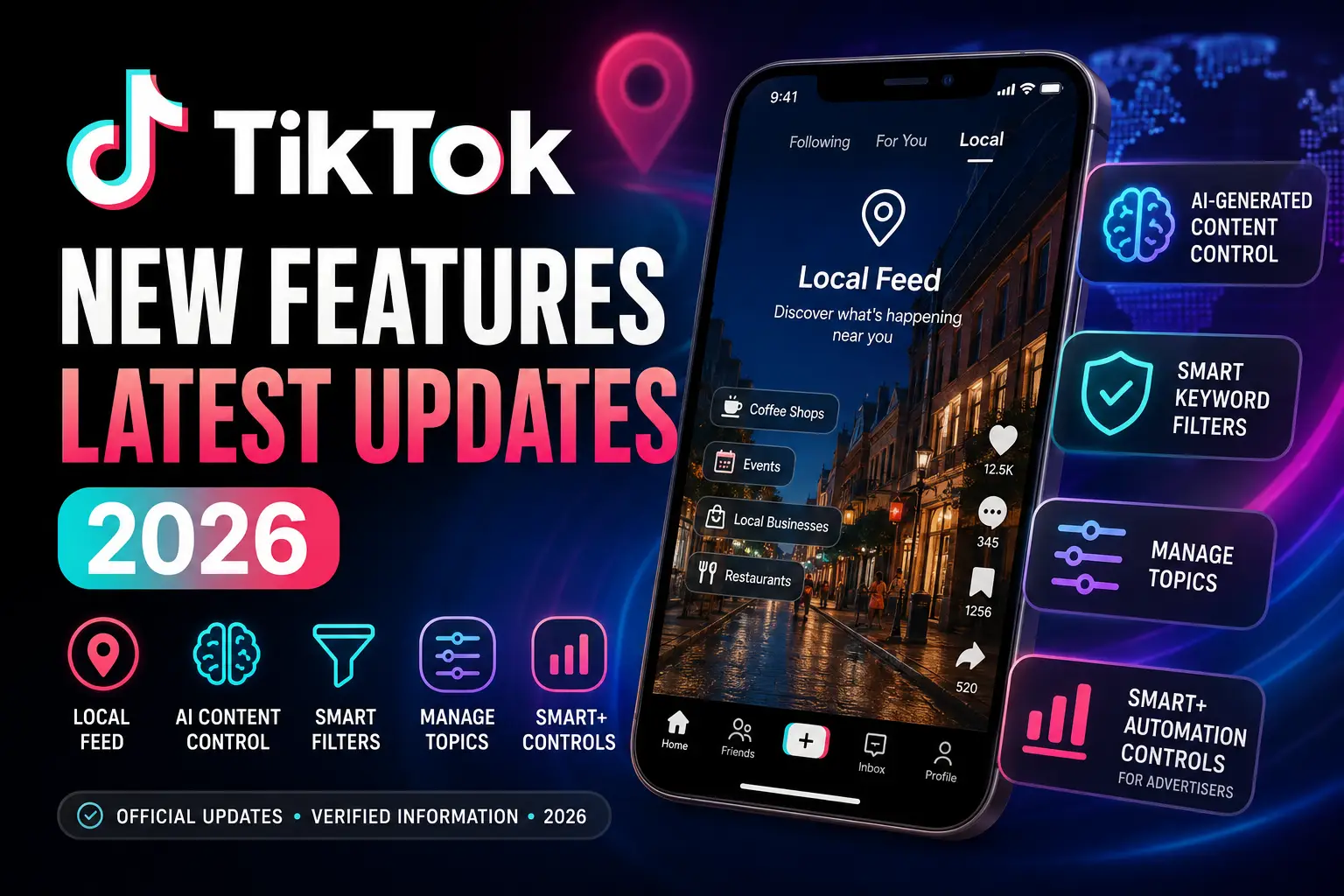
| Local Feed | Official | Users 18+ | US, with similar “Nearby Feed” in UK, Germany, Italy, France |
| AI generated content control | Testing | Rolling out gradually | Not fully global yet |
| Smart Keyword Filters | Official | All users | Global |
| Manage Topics | Official | All users | Global |
| Smart+ automation controls | Official | Advertisers | Global |
Local Feed: TikTok’s new way to discover what’s nearby
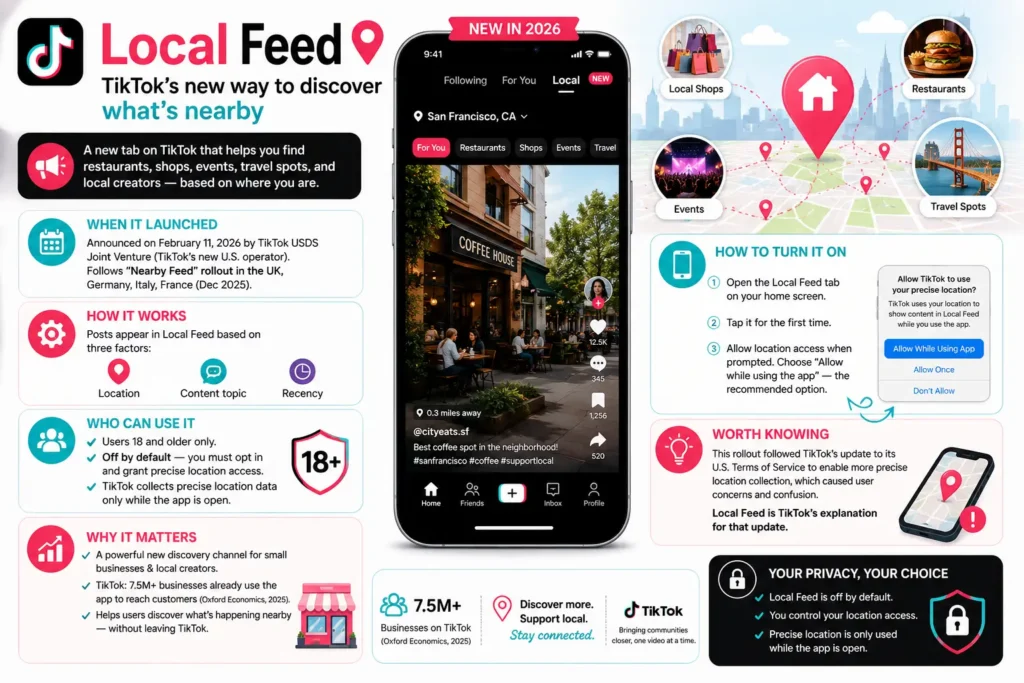
This is the biggest confirmed change to how TikTok works for ordinary users this year, and it’s worth understanding properly.
What it is:
A new tab on the TikTok home screen that shows content, restaurants, shops, events, travel spots, and posts from local creators and small businesses, based on where you currently are.
When it launched:
TikTok USDS Joint Venture, the company’s new U.S. based operator, announced Local Feed on February 11, 2026. It follows a similar “Nearby Feed” that TikTok had already rolled out in the UK, Germany, Italy, and France in December 2025.
How it works:
TikTok says posts appear in the Local Feed based on three factors, location, the topic of the content, and how recently it was posted.
Who can use it:
Users 18 and older only. It’s turned off by default; you have to opt in and grant precise location access. TikTok only collects that precise location data while the app is open, according to the company’s announcement.
Why it matters:
For small businesses and local creators, this is a genuinely new discovery channel, TikTok says over 7.5 million businesses already use the app to reach customers, citing a 2025 Oxford Economics report commissioned for TikTok. For regular users, it’s a way to find out what’s happening nearby without leaving the app.
How to turn it on:
Open the Local Feed tab on your home screen. The first time you tap it, TikTok will prompt you to allow location access, you can choose to allow it only while using the app, which is the option TikTok recommends.
Worth knowing:
This rollout came shortly after TikTok updated its U.S. terms of service to enable more precise location collection, which drew some user pushback and confusion about why the change was happening. The Local Feed was TikTok’s explanation for that update.
AI generated content controls: how much AI do you want to see?
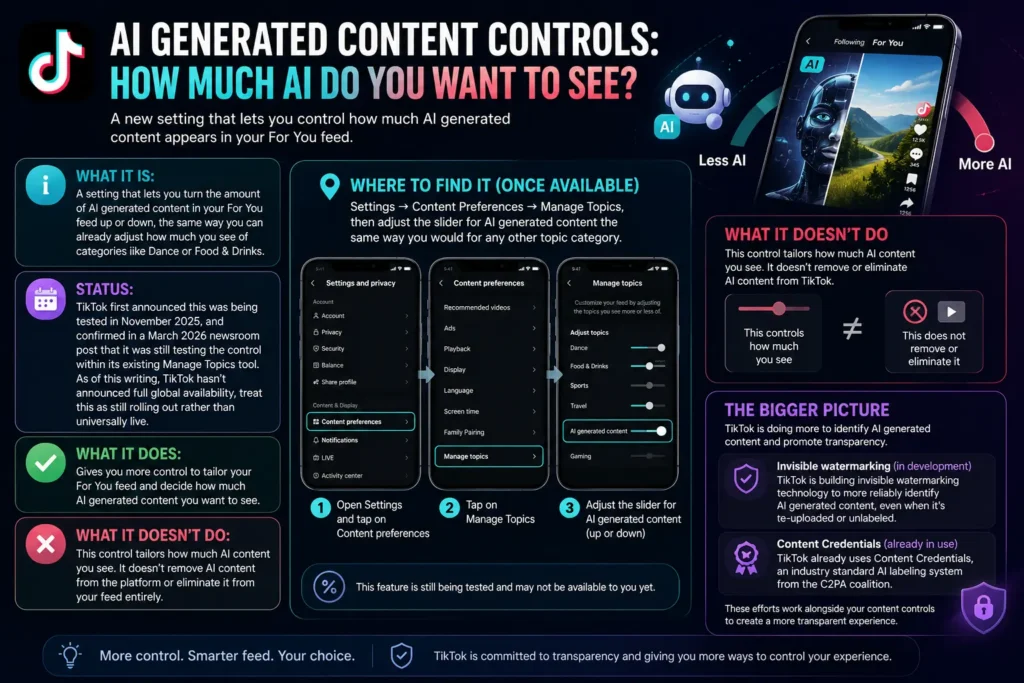
What it is:
A setting that lets you turn the amount of AI generated content in your For You feed up or down, the same way you can already adjust how much you see of categories like Dance or Food & Drinks.
Status:
TikTok first announced this was being tested in November 2025, and confirmed in a March 2026 newsroom post that it was still testing the control within its existing Manage Topics tool. As of this writing, TikTok hasn’t announced full global availability, treat this as still rolling out rather than universally live.
Where to find it (once available):
Settings → Content Preferences → Manage Topics, then adjust the slider for AI generated content the same way you would for any other topic category.
What it doesn’t do:
TikTok has been clear that this control tailors how much AI content you see, it doesn’t remove AI content from the platform or eliminate it from your feed entirely.
The bigger picture:
Alongside this control, TikTok said it’s building “invisible watermarking” technology to more reliably identify AI generated content, even when creators forget to label it or when a video gets re-uploaded and loses its original metadata. TikTok also already uses Content Credentials, an industry standard AI labeling system from the C2PA coalition.
Smart Keyword Filters: block more than just exact words
This one’s genuinely useful, but it’s not a brand new August feature, worth clearing up since it circulates a lot in “new TikTok update” content.
What it is:
An AI powered upgrade to TikTok’s keyword filtering tool. Instead of only blocking the exact word you type, it also catches synonyms and related slang. Block “renovation,” and it’ll also catch “remodeling” and similar terms.
When it launched:
TikTok announced this in June 2025, it’s an existing tool, not something new for August 2026, even though it still gets recirculated as a “new feature” regularly.
The numbers:
TikTok says its keyword filtering tools have collectively been used to exclude more than 200 million words worldwide, and the company doubled the per user keyword limit from 100 to 200.
How to use it:
Settings → Content Preferences → Filters, then add the words or topics you don’t want to see.
Manage Topics: adjusting how often you see certain content
What it is:
Sliders that let you turn specific content categories up or down in your feed, TikTok says it currently covers more than 10 categories, including Dance, Sports, and Food & Drinks.
Status:
Originally piloted in the U.S. starting August 2024, this expanded to global availability in mid 2025. It’s a stable, fully launched feature at this point, and it’s also the same tool being used to house the newer AI content slider described above.
TikTok New Features for Business: 2026 updates
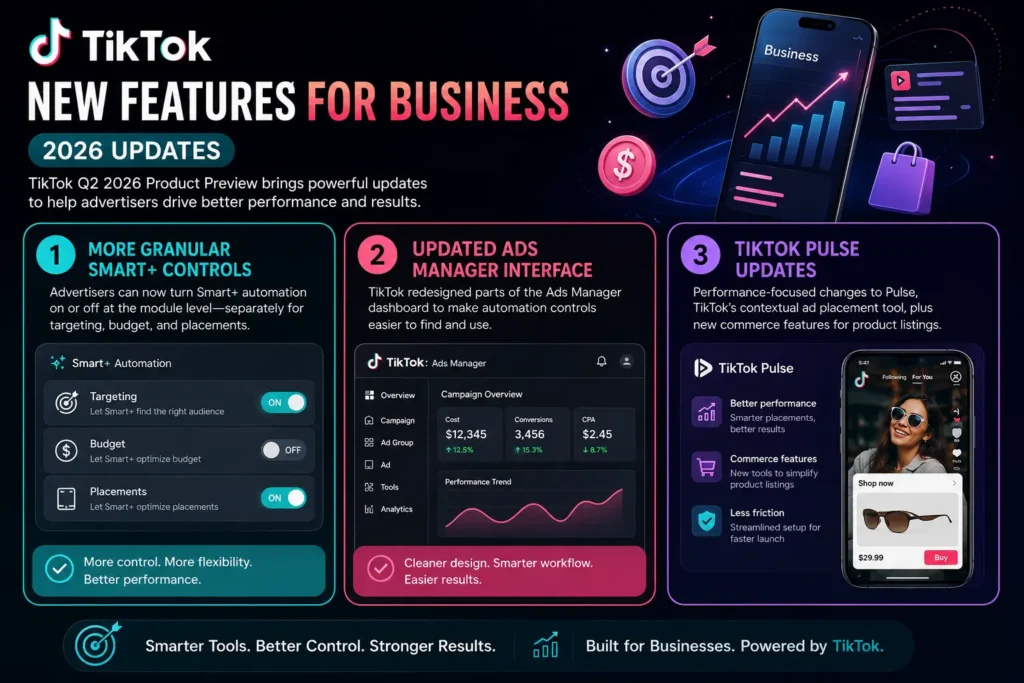
If you manage TikTok ads or run a business account, TikTok’s advertising team published a batch of updates in its Q2 2026 “Product Preview.” Confirmed changes include:
- More granular Smart+ controls: Advertisers can now turn Smart+ automation on or off at the module level, separately for targeting, budget, and placements, instead of only toggling it for an entire campaign.
- Updated Ads Manager interface: TikTok redesigned parts of the Ads Manager dashboard to make these new automation controls easier to find and use.
- TikTok Pulse updates: TikTok also made performance focused changes to Pulse, its contextual ad placement tool, and introduced commerce features aimed at reducing setup friction for product listings.
Features people think are new, but aren’t
A lot of “new TikTok feature” content circulating on social platforms recycles older launches or repeats unverified claims. A few worth flagging:
- Smart Keyword Filters: as above, this dates to June 2025, not this year.
- Manage Topics: piloted back in August 2024.
- Various “AI title” or “AI caption” features that circulate in short form videos claiming to be brand new, we could not independently verify most of these as official TikTok product launches rather than existing editing tools being rediscovered by creators. If you’ve seen a specific claim like this, check TikTok’s own Newsroom or Help Center before assuming it’s an official, newly launched feature.
Why you might not see a feature yet
If you’ve read about a TikTok feature and don’t see it in your own app, a few things are usually going on:
- Gradual rollout: TikTok almost always rolls features out in stages rather than to everyone at once, the AI content control is a current example of this.
- Region restrictions: Local Feed, for instance, launched in the U.S. and a handful of European countries, not everywhere.
- Age restrictions: Local Feed specifically requires you to be 18 or older.
- Outdated app version: Update TikTok through the App Store or Google Play and restart it.
- It’s still in testing: Some features are only available to a small test group and haven’t been confirmed for a wider release yet.
Updating your app won’t force a server side test feature to appear, some things are simply not turned on for your account yet, regardless of app version.
Our Honest Review
The clearest theme in TikTok’s 2026 product updates isn’t any single feature, it’s a shift toward giving users more direct control over their own feed, whether that’s how much AI content shows up, which topics get emphasized, or which words get filtered out entirely. Local Feed is the more ambitious bet: it’s TikTok trying to become a local discovery tool, not just an entertainment feed, and it’s tied directly to the app’s new U.S. ownership structure trying to demonstrate value to American small businesses.
Whether that sticks depends on rollout and adoption we don’t have full visibility into yet. Worth keeping an eye on rather than assuming every “big new update” you see mentioned online is actually live.
Update log
| Date | Update |
|---|---|
| Aug. 12, 2026 | Article published with verified 2026 feature roundup |
Frequently asked questions
Q1: What is the latest TikTok update?
The most significant confirmed 2026 update for regular users is Local Feed, a location based discovery tab that launched in the U.S. in February 2026. TikTok is also still rolling out a control for how much AI generated content appears in your feed.
Q2: What new features did TikTok add in 2026?
Confirmed 2026 additions include Local Feed, an AI generated content control inside Manage Topics, and updated advertiser tools like more granular Smart+ automation controls.
Q3: Why don’t I have the new TikTok features?
Most TikTok features roll out gradually by region, age, or test group rather than to everyone at once. Local Feed, for example, is limited to users 18 and older in specific countries.
Q4: Are TikTok features different on iPhone and Android?
TikTok generally releases features to both platforms, though rollout timing can differ. TikTok hasn’t published a full breakdown of iOS versus Android timing for most 2026 features, so if you don’t see something yet, it may simply not have reached your account.
Q5: Does TikTok have new AI features?
Yes, TikTok is rolling out a slider that lets you control how much AI generated content appears in your feed, and is developing invisible watermarking to more reliably label AI generated videos.
Q6: What is Smart Keyword Filters?
An AI powered upgrade to TikTok’s content filtering tool that blocks related words and synonyms, not just the exact term you type. It launched in June 2025.
Q7: How do I get the latest TikTok update?
Update the app through the App Store or Google Play, and keep in mind that some features are server side and won’t appear just because you updated, they depend on region, account eligibility, or ongoing testing.
Q8: Are TikTok’s new features available worldwide?
Not usually right away. Local Feed, for instance, is currently limited to the U.S. and a handful of European countries.
Q9: Is the TikTok Local Feed available in my country?
As of this writing, it’s confirmed in the U.S., UK, Germany, Italy, and France. TikTok hasn’t announced a broader international rollout.
Q10: Can TikTok features disappear or change?
Yes, TikTok regularly adjusts, renames, or discontinues features, and rollout status can change between testing and general availability without much public notice.