How to Block Someone on TikTok 2026 – Step By Step Guide
Quick Answer
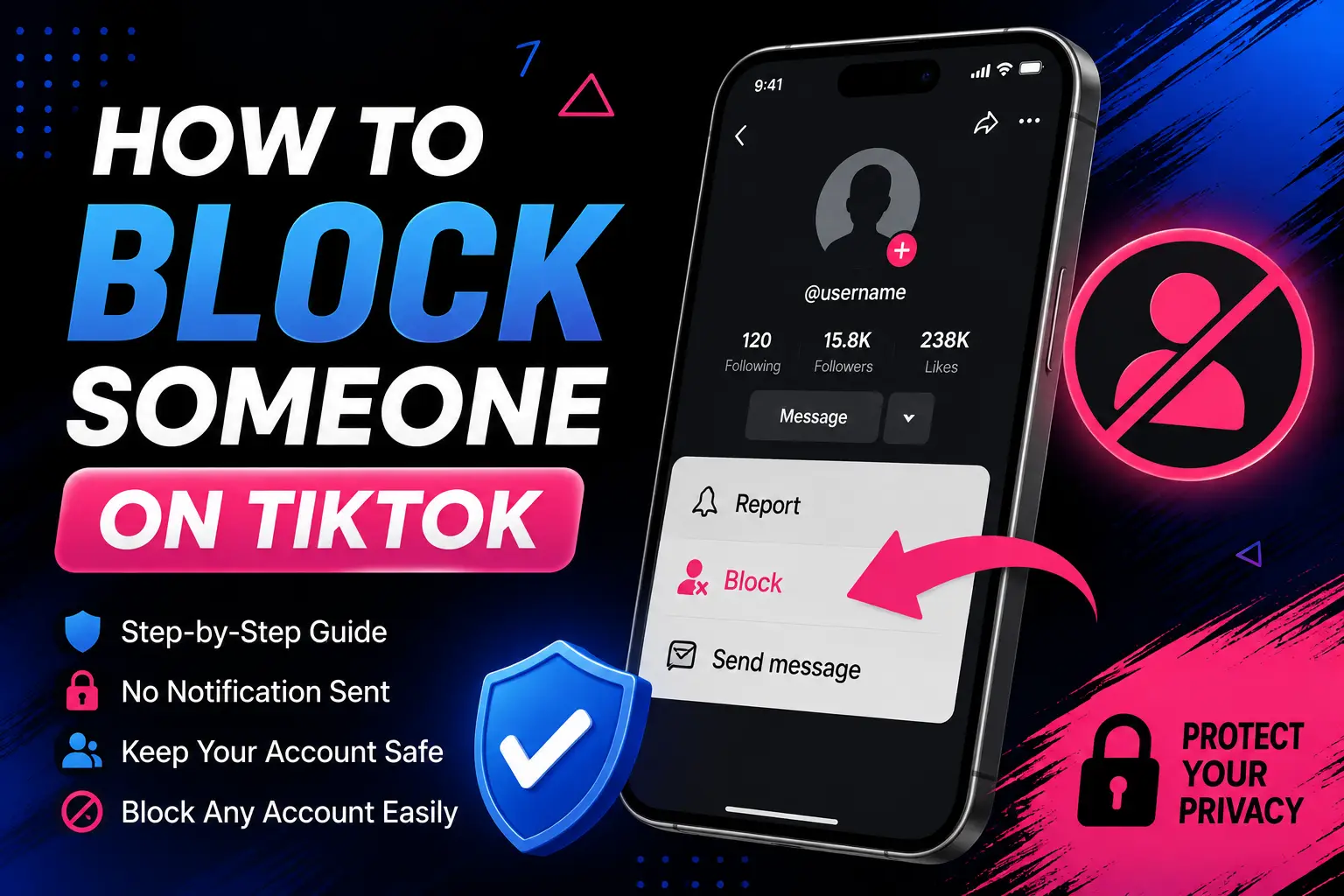
To block someone on TikTok, go to their profile, tap the menu icon in the top corner (this appears as either a Share arrow or three dots depending on your app version), select Block, then confirm. TikTok does not notify the other person when you block them.
How to Block Someone on TikTok From Their Profile
Blocking someone starts on their profile page, whether you found them through a video, a comment, or a search.
Follow These Steps
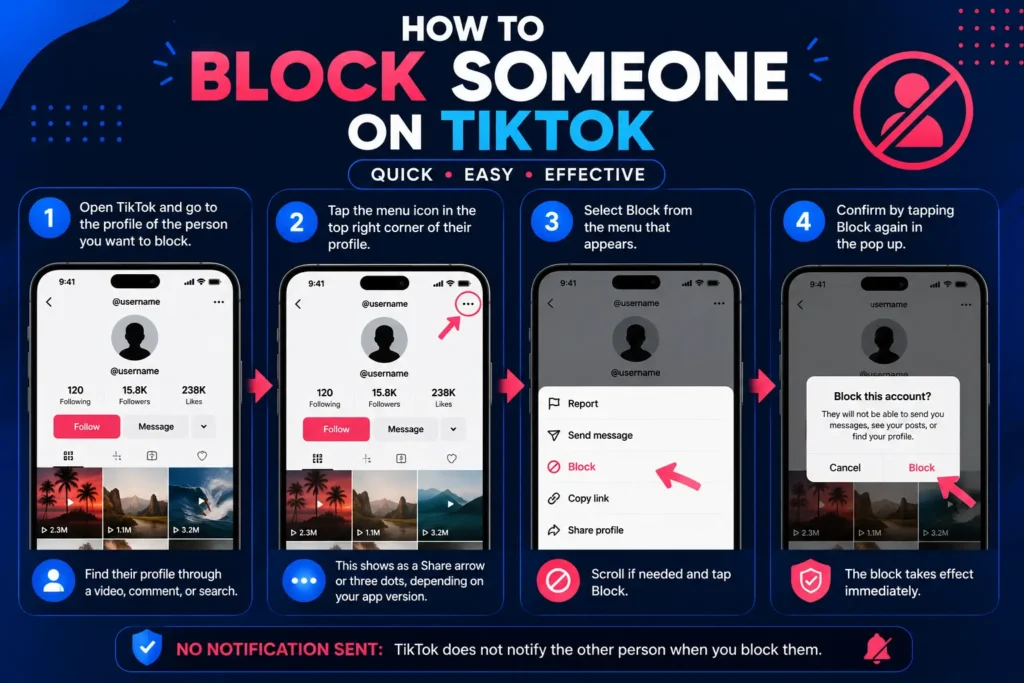
- Open TikTok and go to the profile of the person you want to block.
- Tap the menu icon in the top right corner of their profile (this shows as a Share arrow or three dots, depending on your current app version).
- Select Block from the menu that appears.
- Confirm by tapping Block again in the pop up.
That’s it. The block takes effect immediately, no waiting period involved.
Can You Block Someone on TikTok Without Them Knowing?
Yes, in the sense that TikTok never sends a direct notification telling someone they’ve been blocked. But “without them knowing” isn’t quite the same as “they can never figure it out.”
Will TikTok Send a Notification?
No, blocking is a silent action on TikTok’s end. The other person gets no alert, message, or flag saying you blocked them.
How Might They Know They Were Blocked?
They might notice indirectly. If they search your username, your account won’t appear. If they try opening an old link to your profile, the page may load without showing your videos. If you’d been messaging, an old conversation thread may stop working correctly. None of this is an official notification, but a person who checks closely can often piece it together.
But if their profile is public, then you can watch and download tiktok stories and trending videos by using the online TikTok Story Viewer tool and online TikTok Video Downloader tool respectively.
How to Block Someone You Don’t Follow on TikTok
You don’t need to follow someone, or have any prior relationship with them, to block their account. The same profile based steps above work whether you follow them, they follow you, or neither.
The only requirement is finding their profile first, whether that’s through a video they posted, a comment they left, a direct message, or a search by username.
Can You Block Someone Without Opening Their TikTok Profile?
Not entirely, TikTok also lets you block someone directly from a comment they left or from a direct message thread, without navigating to their full profile page first, though even these shortcuts pull up a version of their account info before confirming the block. There isn’t a way to block a username from scratch with zero interaction with their account at all.
Other Ways to Block a TikTok Account
Blocking Someone From a Comment
Find their comment under one of your videos, open the menu next to it, and select Block. Some reports indicate TikTok also allows blocking multiple commenters at once directly from your comment section, though the exact number TikTok allows in bulk isn’t something we can confirm with an official source, so treat any specific number you see elsewhere with caution.
Blocking Someone From a Message
Open the direct message conversation, tap their name or profile picture at the top, open the menu, and select Block, then confirm.
Blocking Multiple Accounts
There’s no confirmed, official bulk blocking tool for unrelated accounts across the app. Blocking from your comment section is the closest thing to a bulk action currently reported, and even that applies specifically to people who’ve commented on your content.
What Happens When You Block Someone on TikTok?
| What Changes | What Happens |
|---|---|
| Profile visibility | The blocked account can no longer view your profile or videos |
| Search visibility | Your account won’t appear when they search your username |
| Direct messages | Neither of you can message the other after the block |
| Comments and likes | The blocked account can’t leave new comments, likes, or mentions on your content |
| Existing comments | Sources differ here: some report old comments stay visible until manually deleted, while others report they’re removed automatically. Don’t assume either outcome without checking your own content directly |
| Follow relationship | Any existing follow between you is removed |
| Notification sent | None, the block happens silently on TikTok’s end |
| Shared spaces | You may still appear together in group chats or multi host livestreams, since blocking doesn’t remove either of you from a space hosted by someone else |
Where Can You See Your Blocked Accounts?
- Go to your Profile.
- Tap the three line menu in the top right corner.
- Select Settings and privacy.
- Tap Privacy.
- Select Blocked accounts (listed under Interactions).
This list shows every account you’ve currently blocked, and it’s the same place you’ll go to unblock someone later.
How to Unblock Someone on TikTok
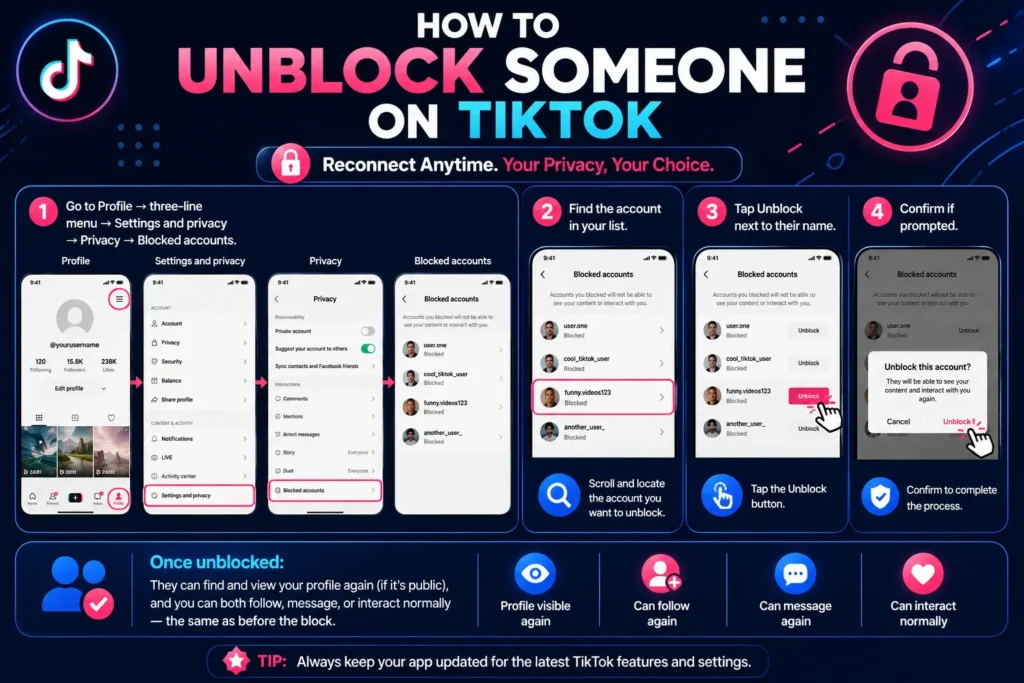
- Go to Profile → three-line menu → Settings and privacy → Privacy → Blocked accounts.
- Find the account in your list.
- Tap Unblock next to their name.
- Confirm if prompted.
Once unblocked, they can find and view your profile again if it’s public, and you can both follow, message, or interact normally, the same as before the block.
Can You Block Someone Who Already Blocked You?
This is a genuinely awkward edge case, and honestly, the practical answer matters more than the technical one. If someone has already blocked you, you typically can’t open their profile to find a Block button in the first place, since their account effectively becomes invisible to you too.
Functionally, this usually doesn’t matter. Blocking already prevents interaction in both directions, whether you initiated it or they did. Neither of you can message, comment on, or view the other’s content either way.
Should You Block, Report, or Remove Someone?
| Action | Best Used When |
|---|---|
| Block | You want to stop all interaction with one specific account |
| Report | The account or specific content may violate TikTok’s Community Guidelines |
| Remove follower | You want someone off your followers list without blocking them entirely |
| Privacy settings | You want broader control over who can comment, message, or duet with you generally |
These aren’t interchangeable. Blocking handles one account directly. Reporting flags something for TikTok’s review, which may or may not result in TikTok taking action. Removing a follower is quieter than blocking, since it doesn’t stop them from finding your profile again later if it’s public. Privacy settings adjust the rules for everyone, not just one person.
Why Can’t I Find the Block Option on TikTok?
A few legitimate reasons could explain this:
- Your app version is outdated, and the menu icon or its location has since changed
- You’re on a slightly different regional version of the app
- A temporary bug or loading issue is affecting that profile page specifically
- The account you’re trying to block has already blocked you, hiding their profile from you entirely
If the option seems to have vanished, try updating the app first, then restarting it, before assuming something’s broken.
What Should You Do If Someone Is Harassing You on TikTok?
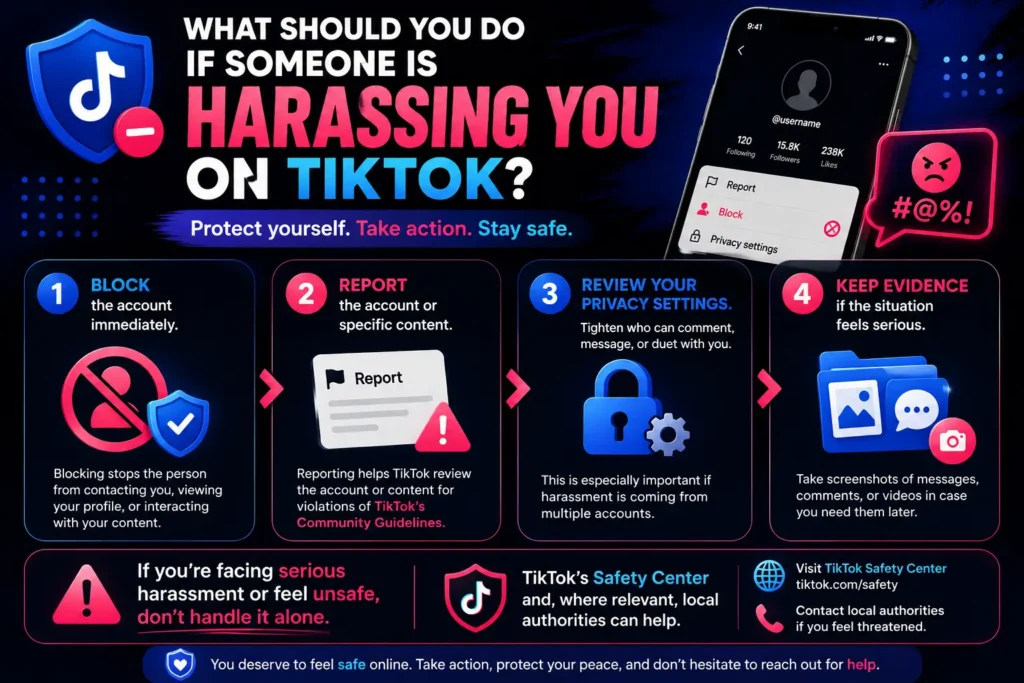
Blocking is a strong first step, but it’s not always the only one worth taking.
- Block the account immediately to stop direct contact.
- Report the account or specific content if it violates TikTok’s Community Guidelines, since this flags it for TikTok’s review separately from your block.
- Review your privacy settings, tightening who can comment, message, or duet with you if the harassment is coming from multiple accounts rather than just one.
- Keep evidence if the situation feels serious, such as screenshots of messages or comments, in case you need it later.
If you’re facing serious harassment or feel unsafe, TikTok’s Safety Center and, where relevant, local authorities are better equipped to help than relying on blocking alone.
Frequently Asked Questions
Q1: Does TikTok tell someone when you block them?
No, TikTok never sends a notification when you block an account.
Q2: Can I block someone I don’t follow?
Yes, you don’t need to follow someone, or have them follow you, to block their account.
Q3: Can I block someone without visiting their profile?
Mostly no, though you can block directly from a comment or a direct message without navigating to their full profile page first.
Q4: Can someone message me after I block them?
No, blocking removes the ability for either person to message the other.
Q5: Can I unblock someone later?
Yes, go to Settings and privacy then Privacy then Blocked accounts, find their name, and tap Unblock.
Q6: Where do I find my blocked accounts?
First go to Profile, then to three line menu, then tap on Settings and privacy, later click Privacy, and lastly Blocked accounts.
Q7: What happens when I block someone on TikTok?
They lose access to your profile and videos, can’t message or comment on your content, and any follow relationship between you is removed, all without a notification being sent.
Q8: Can I block multiple accounts?
There’s no confirmed, official bulk block feature for unrelated accounts, though some reports describe a comment section option for blocking several commenters at once.
Sources
- TikTok Help Center: Followers and Following section (support.tiktok.com/en/using-tiktok/followers and following)
- TikTok Help Center: Blocked accounts (support.tiktok.com/en/using-tiktok/followers-and-following/where-to-find-my-block-list)
- Independent verification and cross checking via Security.org, ExpressVPN, and Avast’s current TikTok safety guides