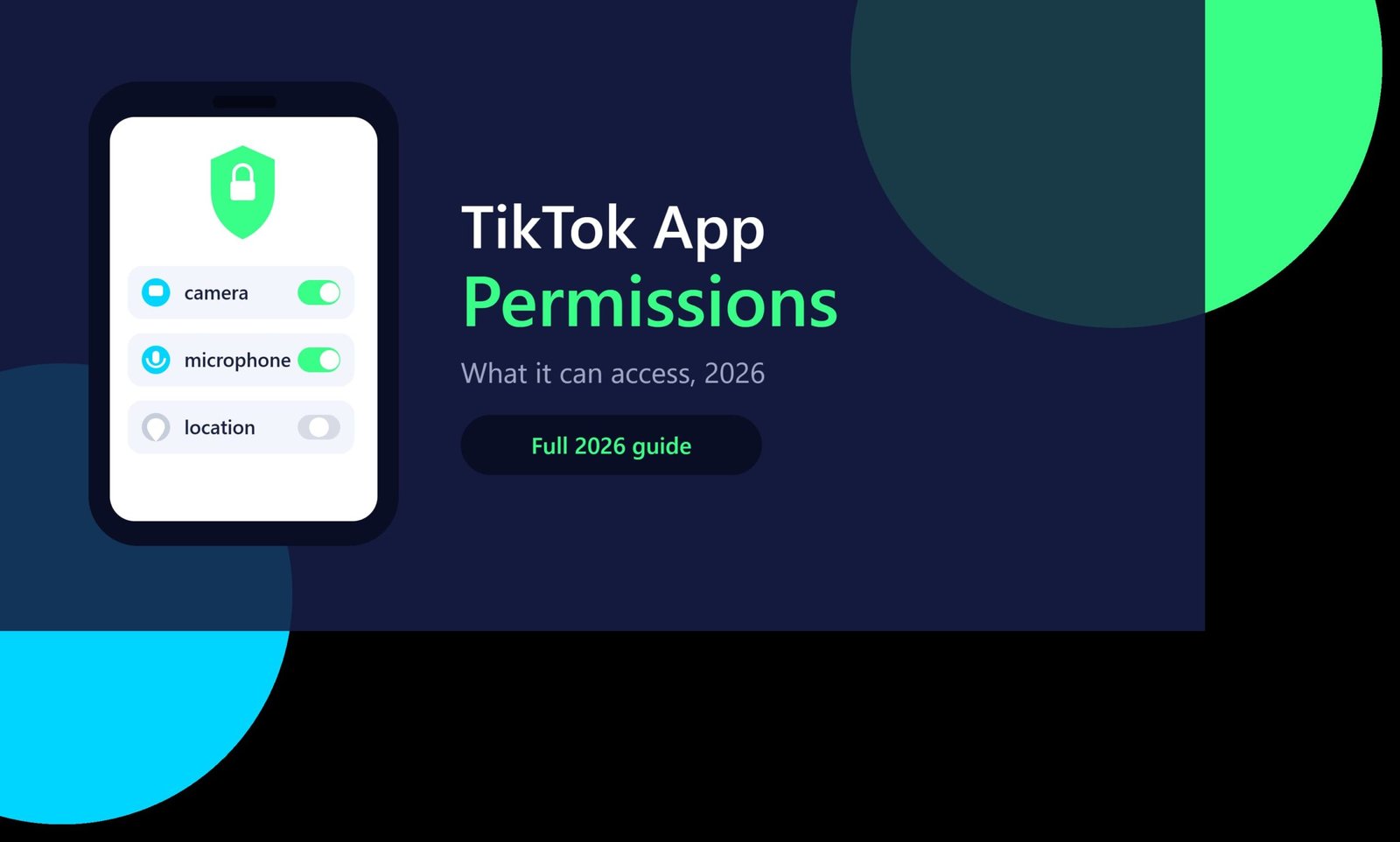
TikTok App Permissions: What It Can Access and How to Control It (2026)
Every app you install asks permission for something, it can be the camera, contacts, location, and many more. TikTok also asks for a lot of permissions on installation. So what does TikTok actually see, and how much control do you really have? So, in this guide from TTStoryViewer.io we will break down every TikTok app permission, sourced directly from TikTok’s own help pages, in plain, simple words.
What Are TikTok App Permissions?
App permissions are not something that is very difficult to understand, these are the specific things of your phone that TikTok is allowed to have access to. Two separate layers control this. Your phone’s operating system, Android or iOS, controls device level permissions like camera and contacts. TikTok’s in app settings control a second layer, which covers privacy, messages, and who can see your posts.
Both layers matter. Turning off one layer without checking the other leaves gaps in your actual privacy. A locked down camera permission does nothing to stop a public account setting from showing your videos to strangers, and a private account setting can do nothing to stop TikTok from reading your device’s approximate location.
What TikTok Can Access on Your Phone
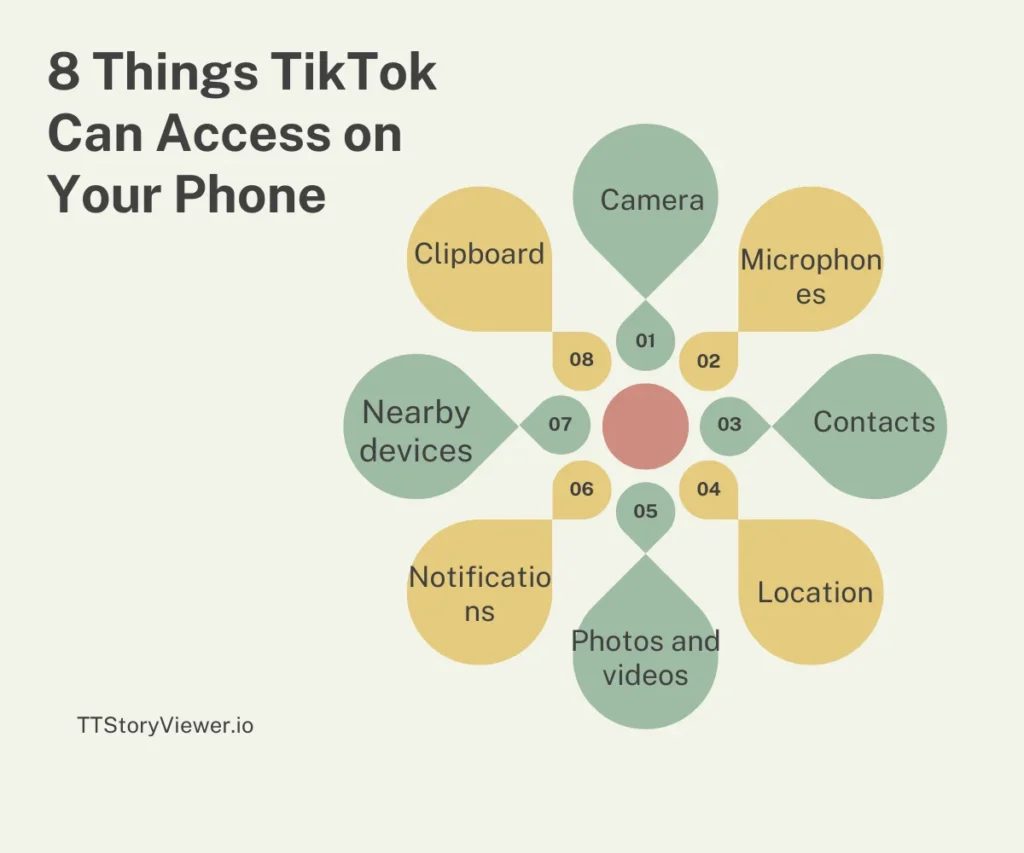
Here we have done a full breakdown of device level permissions TikTok may request before giving you permission to use, based on TikTok’s own settings menu and independent research from security firm Proofpoint:
| Permission | What It’s Used For |
| Camera | Recording video and taking photos for posts |
| Microphone | Recording audio and voiceovers |
| Contacts | Finding people you know already on TikTok |
| Location | Showing local content and location-tagged posts |
| Photos and videos | Uploading existing media from your device |
| Notifications | Alerts for likes, comments, and direct messages |
| Nearby devices | Finding and connecting to nearby devices |
| Clipboard | Reading pasted content, only when you paste something into the app |
These features are not activated on their own. Each one can work after TikTok explicitly asks, and you approve it, either at first use or when a specific feature needs it to be used.
How to Manage App Permissions on Your Device
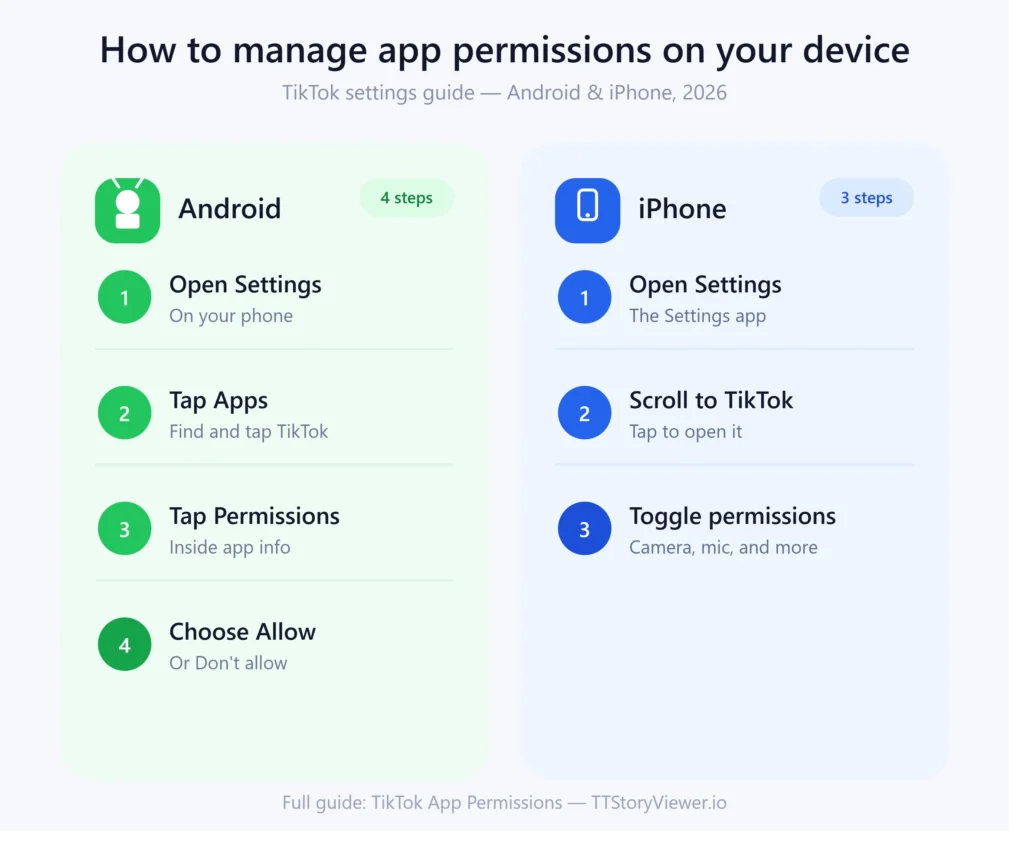
On Android
- Open Settings on your phone.
- Tap on Apps, then find and tap TikTok.
- Tap on Permissions.
- Select any permission, then choose Allow or Don’t allow.
On iPhone
- First, open the Settings app.
- Then scroll down and tap TikTok.
- Find each permission, such as Camera or Microphone, and set it to on or off.
It doesn’t take much time to apply the changes, changes usually apply right away. You can force close or reopen TikTok after a change helps if a setting doesn’t seem to update immediately.
If TikTok Isn’t Listed in Your Settings
This means that TikTok hasn’t triggered a permission request yet. For this, you can open the app and try the action that needs the permission, like recording a video, and the request should appear. Deleting and reinstalling the app resets the permission flow entirely if the prompt still doesn’t show up.
How to Add App Permissions on TikTok
Sometimes the permission can be denied by accident during setup, and a feature might stop working as a result. You can fix this problem on the same basic path as managing permissions:
- Firstly go to your device settings, not TikTok’s in app settings.
- Find TikTok in your app list.
- Tap into Permissions.
- Turn on the specific permission the app needs, such as Camera or Microphone.
- Lastly, reopen TikTok and try the feature again.
A missing camera or microphone prompt inside TikTok usually means the app has denied that permission previously, either on purpose or by mistake during the first install.
TikTok’s In-App Account Privacy Settings
Apart from device permissions, TikTok has its own privacy control center inside the app. This covers much wider range of settings than most people realize:
| Setting | What It Controls |
| Private or public account | Who can see your posts and profile |
| Direct messages | Who can send you messages |
| Comments | Who can comment on your videos |
| Duet and Stitch | Who can remix your content |
| Post visibility | Who can view a specific video |
| Video downloads | Controls if others can save your videos |
| Activity status | Controls if others see when you’re active |
| Suggested accounts | Controls if your profile appears as a suggestion to others |
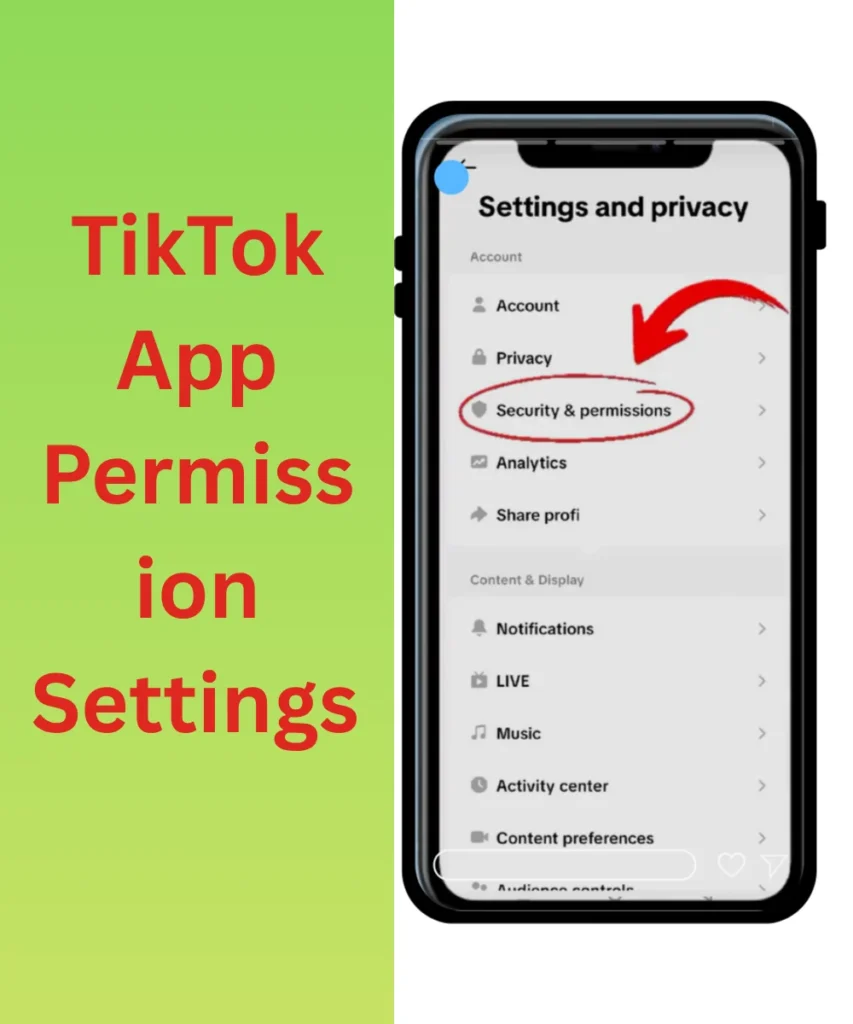
To reach this menu, it just takes a few taps: Profile, then the menu icon, then Settings and privacy, and finally Privacy.
Control Your TikTok Sharing Settings on iPhone and Android
Sharing settings sit alongside privacy settings, but you should focus specifically on what happens when your content leaves TikTok. These will include control over video downloads, sharing to other apps, and embedding elsewhere.
Both the iPhone and Android access these through the same Settings and privacy menu, under Privacy, then Video downloads. Turning the downloading off does not stop screen recording, since that happens at the device level, outside TikTok’s control entirely.
Location Services on TikTok: What Gets Collected
Location works a bit differently depending on your settings. When Location Services are turned on, TikTok receives an approximate location, generally accurate to about 3 square kilometers, based on your device’s GPS.
With Location Services turned off, TikTok still makes a rough location estimate using your IP address, SIM region, and device settings, though this is far less precise, usually only accurate to a city or region.
To manage this: First open Profile, then menu, then Settings and privacy, then Privacy, then finally Location Services. From here, you can also delete the previously collected location data directly.
Teen Privacy and Safety Settings
Accounts that belong to users under 18 get extra layers automatically. TikTok sets these accounts automatically to private by default, restricts direct messages, and limits who can duet or stitch their content, on top of everything covered above.
Parents who manage their children’s accounts can review and adjust many of these settings together through TikTok’s Family Pairing feature, covered in more detail in our TikTok parental controls guide.
Ads and Off-TikTok Data
There is a separate permission area that controls advertising, not content visibility. TikTok’s Ads and data settings let you control off TikTok data used for ad targeting, meaning activity TikTok’s advertising partners track on other websites and apps.
Reaching this result: First, go to Settings and privacy, then Ads, then Control your off TikTok data. When you turn this off, it does not remove ads entirely, but it does limit how personalized they are based on activity outside the app.
Organization Account Permission Management
Those teams which run a business account get a permission system that most personal account guides don’t mention. TikTok’s Organization Account feature lets a business assign two roles to team members:
- Admin: has full management authority over the account
- Operator: contains day to day operational access without full control
Admins can invite new members by phone number or email and can switch a member between Admin and Operator as their responsibility change. Removing someone’s access makes an effect instantly, which matters for teams managing shared brand accounts with staff turnover.
TikTok Direct Message Permission for Messaging Ads
Businesses which run TikTok ad campaigns have a separate permission layer just for messaging ads. This setting can control business account’s ability to send direct messages as part of a paid advertising campaign, separate from normal personal DM settings.
This permission is given inside TikTok’s Business Help Center rather than the standard app settings, because it applies specifically to advertisers running Messaging Ads campaigns, not everyday users.
What Data Does TikTok Actually Send?
The Independent security research from Proofpoint examined what data TikTok’s Android app actually transmits, beyond just the permissions it requests. Their findings showed that TikTok sends geolocation data, device identifiers, carrier region, device type, and connection type back to its servers, consistent with what its own privacy policy discloses.
There was nothing the research which pointed to hidden or undisclosed data collection. The bigger takeaway was simply that TikTok permission matters, because each one grants real, ongoing access rather than a one time check.
TikTok Permissions by the Numbers
Fact | Detail |
|---|---|
Can have approximate location accuracy with Location Services on | It only possesses about 3 square kilometers |
Device level permissions TikTok may request | 8 or more, depending on features used |
Roles available for Organization Accounts | 2 (Admin and Operator) |
Minimum age for a private by default account | Under 18 |
Where microphone access is active | Only while the app is open and in use |
Our Honest Review: Should You Worry About TikTok’s Permissions?
When you are testing TikTok’s permission requests side by side with other major apps shows a familiar pattern, camera, microphone, and photo access are standard for any video app. Also contact syncing and precise location tracking go further than some competing apps, though TikTok does disclose all of it clearly in its settings.
Our honest advice for you:
Remember that TikTok’s permissions are not secretive, but they are broad. You must Review device level permissions once every few months and turn off anything you don’t actively use, like Contacts or Nearby Devices if you never use those features, is a reasonable habit for any app on your phone, not just TikTok. The Organization Account role system stands out during testing as genuinely well built, giving business teams real, granular control that many competing platforms still handle far more clumsily.
Common Mistakes People Make With App Permissions
- To grant every permission during setup without reading what each one does
- Never revisiting permissions months or years later
- To assume turning off in app privacy settings also blocks device level access
- Forgetting that not accessing Camera or Microphone access breaks core recording features
How TTStoryViewer Fits In
TTStoryViewer lets you view and download TikTok content without logging into an account or installing anything extra on your phone. For anyone who is having tention about handing over device permissions just to browse public videos, this offers a lighter, login free way to check content first.
How TTStoryViewer Fits In
TTStoryViewer lets you view and save public TikTok content without logging into an account or installing anything extra on your phone. For anyone cautious about handing over device permissions just to browse public videos, this offers a lighter, login-free way to check content first.
Frequently Asked Questions
Q1: What permissions does TikTok need to work?
First of all, camera and microphone are needed for recording, while photos, notifications, and location support additional features but these are not strictly required for basic use.
Q2: How do I manage TikTok’s app permissions?
First, go to your device settings, not TikTok’s in app menu, then find TikTok in your app list, and manage each permission individually.
Q3: Does TikTok listen through the microphone all the time?
No, both iOS and Android devices restrict microphone use when the app is open and actively being used, on the other hand, iOS shows an indicator whenever any app uses the microphone.
Q4: What is Organization Account permission management on TikTok?
It is a permission tyoe that lets a business assign Admin or Operator roles to team members managing a shared TikTok account, controlling who can do what.
Q5: Can I use TikTok without granting location access?
Yes, you can use TikTok when it still estimate a rough location from your IP address and device settings, but you can decline precise Location Services entirely.
Q6: What is the difference between Admin and Operator roles on a TikTok Organization Account?
The Admin of the group has full management authority over the account, while an Operator handles day to day tasks without full control, useful for teams delegating routine posting.
Q7: Does turning off ad personalization stop TikTok ads completely?
No, when you turn off TikTok data controls just makes the ads you see less personalized, not gone entirely.
Q8: Are teen accounts on TikTok automatically more private?
Yes, the accounts which belong to users under 18 are private by default, with extra restrictions on messaging, duets, and stitching built in automatically.
Final Word
TikTok’s permissions cover more features than most apps, but every layer is disclosed and adjustable, from device level camera access down to business team roles. If you want to learn more than you can visit our TikTok guides, the TikTok Story Viewer anonymous, or check our guide on TikTok parental controls for a closer look at safety settings.