
If you view someone’s TikTok Story from your own TikTok account, the person who posted the Story can see that your account viewed it. TikTok’s own Help Center says Story creators can see both the total number of Story views and the accounts that watched the Story.
But there is an important difference between being visible in a Story’s viewer list and receiving a notification. TikTok’s public documentation confirms the viewer list, but it does not say that a separate push notification is sent every time someone watches a Story.
If you’re worried about repeat views, screenshots, screen recordings, or profile visits, those work differently. This guide explains each one so you know exactly what TikTok currently shows and what it does not clearly reveal.
Quick Answer
| Question | Short answer |
|---|---|
| Does TikTok tell someone if you view their Story? | Yes, your account can appear in the Story creator’s viewer information. |
| Does TikTok show how many times you viewed a Story? | TikTok shows Story views and viewers, but its public documentation does not say that creators get a per person repeat view count. |
| Does TikTok show who viewed your profile? | Sometimes. TikTok has a separate Profile View History feature with its own rules. |
| Does TikTok notify someone if you screenshot their Story? | Current reporting says no Story screenshot notification is sent. |
| Does TikTok notify someone if you screen record their Story? | Current reporting says no notification is sent for screen recording. |
| Can you watch a TikTok Story without being seen? | TikTok does not provide a normal in app “anonymous Story viewing” mode. |
| Are Story views and profile views the same? | No. They are separate TikTok features with different privacy rules. |
Does TikTok Tell Someone If You View Their Story?
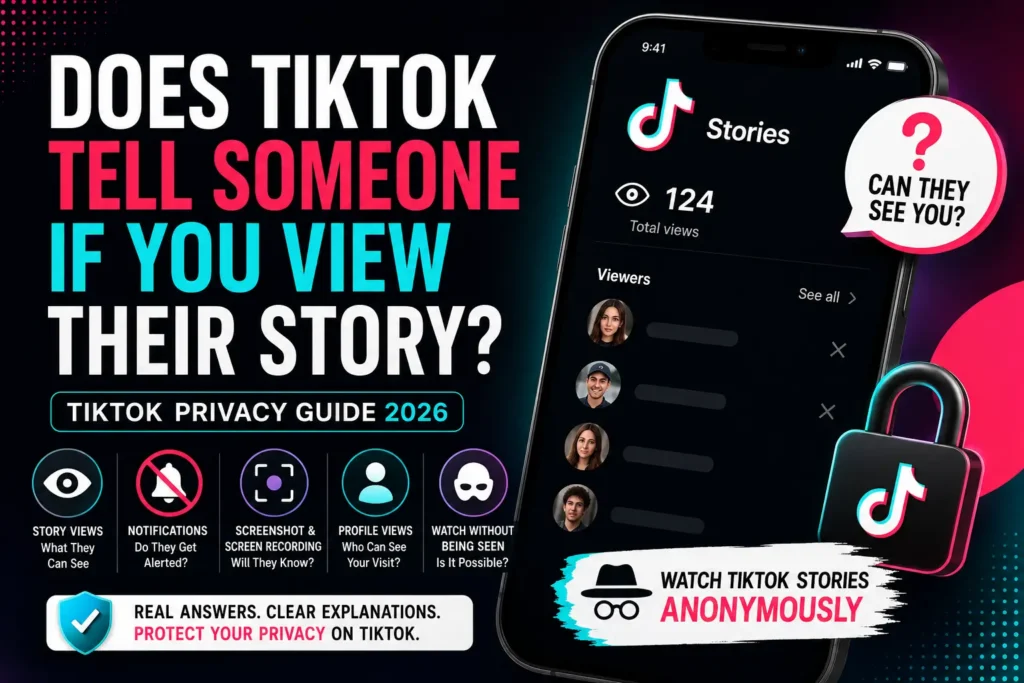
Yes, if you watch a TikTok Story while signed into your TikTok account, the Story creator can see that your account viewed it.
TikTok’s own documentation is quite clear about this. When you post a Story, TikTok lets you see the total number of Story views and the accounts that watched it. To check them, the creator opens their Story and swipes up to see the viewers.
That means there is an important privacy difference between watching a normal TikTok atory and video and watching a Story. With a Story, your account can be part of the creator’s viewer information.
Story viewer list
A TikTok Story is temporary content that is available for 24 hours. TikTok says Stories can appear from a person’s profile, inbox, and the For You and Following feeds. When someone views that Story, the creator can check the viewer information.
So if you’re asking:
“I watched their Story. Can they see me?”
The safest answer is yes, if you watched it through your TikTok account, you should assume your account can be visible to the Story creator.
Notification Vs viewer list
This is where many TikTok privacy articles become confusing. There are two different things:
Viewer visibility:
The creator can open the Story and check who watched it.
Push notification:
A message or alert appears on the creator’s phone saying that you watched their Story.
Those aren’t the same thing. TikTok’s official Story documentation confirms the viewer list, but it does not say that creators receive a separate push notification for every Story view.
So don’t interpret:
“They don’t get a notification”
as:
“They can’t see that I watched.”
Those are completely different statements.
What can the Story creator see?
TikTok officially confirms that the creator can see the accounts that watched the Story. The creator isn’t given a magical record of everything you did on your phone. For example, seeing your account in the viewer list is different from knowing whether you took a screenshot. That distinction becomes important in the next sections.
Does TikTok Show How Many Times You Viewed a Story?
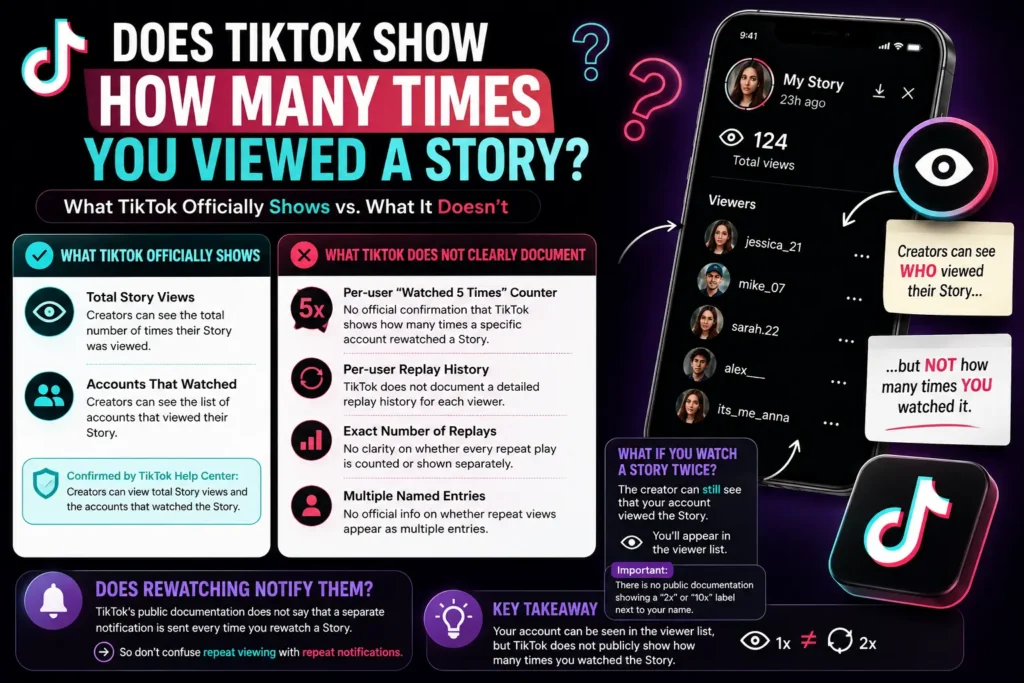
TikTok confirms that Story creators can see Story views and the accounts that watched. However, TikTok’s public documentation does not explain a per person counter showing exactly how many times one specific account watched the Story.
This is an area where many websites state more than TikTok itself officially documents. You may see claims such as:
“TikTok only counts unique viewers.”
or:
“TikTok records every repeat view but hides it.”
The problem is that TikTok’s public Help Center does not give enough detail to confidently explain its complete internal counting system. So it’s better to separate what we know from what we don’t know.
What TikTok officially shows
TikTok says creators can see:
- The total number of Story views
- The accounts that watched the Story
What TikTok does not clearly document
TikTok does not publicly explain:
- A per user “watched 5 times” counter
- A per user replay history
- An exact number of times each viewer watched
- Whether every repeat play is displayed as a separate named view
That means you shouldn’t assume that a creator can look at your name and see:
You watched this Story 7 times.
There is no public TikTok documentation establishing such a feature.
What if you watch a Story twice?
If you watch someone’s Story twice, the creator can still know that your account viewed the Story. What TikTok does not clearly document is whether the creator can see a separate count showing that you personally watched it twice. So the practical rule is simple:
Don’t worry about a visible “2x” or “10x” label unless TikTok introduces and documents such a feature. But if you don’t want the creator to know you viewed the Story at all, repeatedly watching it from your account doesn’t solve the privacy problem.
Your first view is still the important part.
Does rewatching notify them?
There is no clear official TikTok documentation saying that a separate notification is sent every time you rewatch a Story. So don’t confuse repeat viewing with repeat notifications.
Does TikTok Show Who Viewed Your Profile?
TikTok has a separate Profile View History feature that can show profile visits under certain conditions. This is different from Story viewing. TikTok lists Profile View History separately from TikTok Stories and Post View History in its privacy settings.
This separation matters because many people assume that TikTok has one single “who saw me” system. It doesn’t. There are different types of activity.
Story views
These relate to someone watching your Story. TikTok says Story creators can see the accounts that watched their Story.
Profile views
These relate to someone visiting your profile. TikTok provides a separate Profile View History feature for this purpose.
Post views
TikTok also has a separate Post View History feature. TikTok says that, when enabled, people you follow who also have the feature enabled can see that you viewed their posts. TikTok also states that Post View History covers posts from the last 7 days and is separate from Story view history. That’s another reason not to treat every TikTok view as having the same privacy rules.
Who Can See Your TikTok Profile Visit?
This depends on TikTok’s Profile View History feature and its current eligibility/settings. The important point is:
Visiting someone’s profile and viewing their Story are separate activities.
If you are worried about a profile visit, check your Profile View History settings rather than assuming your Story view settings control it. You can find TikTok’s privacy controls through:
Profile → Menu ☰ → Settings and privacy → Privacy
TikTok’s official privacy documentation lists Profile View History among its account privacy controls.
Does TikTok Tell Someone If You Screenshot Their Story?
Current reporting indicates that TikTok does not send a notification when someone screenshots a TikTok Story. There is an important qualification, though. TikTok’s official Help Center does not currently provide a detailed Story screenshot notification policy comparable to its documentation for Story views. So the strongest way to phrase this is:
TikTok currently does not appear to send Story screenshot notifications, according to current testing and multiple reputable technology sources.
Android Authority reported in 2025 that TikTok does not notify creators when someone screenshots or screen records TikTok content. More recent 2026 reporting reaches the same conclusion for Stories.
Screenshot Vs Story view
This is the key difference:
| Action | What happens |
|---|---|
| View a Story | Your account can appear in the Story viewer information |
| Screenshot a Story | No current Story screenshot alert is reported |
| View + screenshot | The creator can know you viewed the Story, but not that you took the screenshot |
| Screen record a Story | No current recording notification is reported |
So if you screenshot a Story after viewing it normally, the screenshot itself isn’t the part that identifies you. Your Story view is.
Does TikTok Tell Someone If You Screen Record Their Story?
Current evidence indicates that TikTok does not notify the Story creator when you screen record their Story.
Android Authority’s testing and explanation state that TikTok does not notify creators when someone screenshots or screen records their content. But again, don’t confuse this with Story viewing. If you:
- Open someone’s Story.
- Watch it from your TikTok account.
- Start screen recording.
- Continue watching.
The creator may still be able to see your account in the Story viewer information. What they don’t receive is a special message saying:
“This person screen recorded your Story.”
Screenshot Vs screen recording
| Action | Separate creator alert? | Story view visible? |
|---|---|---|
| Watch Story | No separate push alert documented | Yes |
| Screenshot Story | No current alert reported | Yes, if you watched it through your account |
| Screen record Story | No current alert reported | Yes, if you watched it through your account |
This is why screen recording isn’t a way to make your Story view anonymous.
Can You Watch TikTok Stories Without Being Seen?
TikTok does not offer a normal in app setting that lets you watch Stories anonymously from your own account.
If you open a Story through TikTok while logged into your account, you should assume the creator can see your account in their Story viewer information. TikTok’s official documentation confirms that Story creators can see the accounts that watched. So there is no simple TikTok setting like:
“Hide my Story views.”
What about turning off Profile View History?
Turning off Profile View History is about profile visits. It should not be treated as a universal “invisible mode” for TikTok. TikTok itself separates Profile View History, Post View History, and Story viewing. So:
Profile View History ≠ Story View History
That distinction is worth remembering.
Can you watch a Story without a TikTok account?
This becomes more complicated.
Some TikTok content can be accessed on the web without using the normal logged in app experience, but availability can vary by content, account, region, and TikTok’s current website behavior. You should not assume that simply opening TikTok in a browser automatically makes every Story view anonymous.
What about anonymous TikTok Story viewers?
Third party web tools exist that are designed to access publicly available TikTok content without attaching the view to your personal TikTok account. If you use one, check what it actually supports. A trustworthy service should clearly explain:
- whether it works only with public accounts
- whether login is required
- what content it can access
- whether Stories must still be active
- what it cannot access
- what information it collects
Never give a third-party website your TikTok password just to view public content.
TikTok Story Views Vs Profile Views
This is probably the most important distinction in this entire guide.
| Feature | Story View | Profile View |
|---|---|---|
| What did you do? | Watched someone’s Story | Visited someone’s profile |
| TikTok feature involved | TikTok Stories | Profile View History |
| Can the creator see activity? | TikTok says Story creators can see accounts that watched | Depends on Profile View History settings/eligibility |
| Same privacy rules? | No | No |
| Does screenshot notification matter? | Separate issue | Separate issue |
| Is there a universal invisible setting? | No native anonymous Story-view mode | Profile View History has its own privacy control |
| Main concern | Appearing in Story viewers | Appearing in profile visitor history |
TikTok also has a third system worth knowing about: Post View History. TikTok says this is separate from Story view history. So don’t assume that:
“I turned off profile views, so TikTok can’t see that I watched their Story.”
Those are separate features.
What Can Someone Actually See About Your TikTok Activity?
Here’s the easiest way to think about it.
| Your action | What the other person may see | What TikTok currently documents |
|---|---|---|
| Watch their Story | Your account in Story viewer information | Yes |
| Watch their Story repeatedly | Your Story view is relevant; no public per person repeat counter is documented | No clear repeat count documentation |
| Visit their profile | May appear through Profile View History when applicable | Separate feature |
| Screenshot their Story | No current Story screenshot notification reported | No alert currently reported |
| Screen record their Story | No current recording notification reported | No alert currently reported |
| Watch a regular post | Different rules can apply, including Post View History | Separate feature |
| Use a third party public content viewer | Your personal TikTok account may not be attached to that viewing session | Depends on the service |
The big lesson is simple:
TikTok doesn’t have one universal “view history” system. Different types of activity have different rules.
I Accidentally Viewed Someone’s TikTok Story, What Now?
This is probably the question you were actually searching for if you landed on this article after an accidental tap.
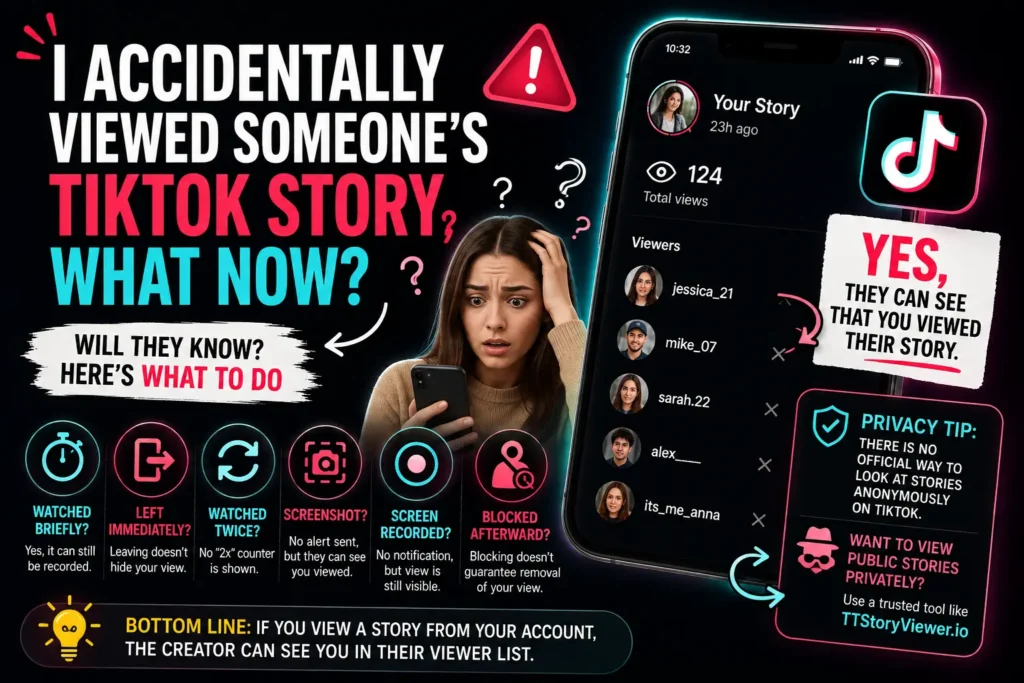
If you accidentally opened someone’s Story from your TikTok account, assume that the Story creator may be able to see your account in their viewer information. TikTok officially says Story creators can see the accounts that watched their Story.
What if I only watched it for one second?
The safest assumption is still that the view can be recorded. Don’t rely on how long you watched it.
What if I immediately left?
Leaving the Story doesn’t change the fact that you opened it. Again, the safest approach is to assume your account can appear as a viewer.
What if I watched it twice?
There is no public TikTok documentation showing a per-person counter such as “watched twice.” But the original Story view remains the important privacy issue.
What if I screenshotted it?
The screenshot itself does not currently appear to trigger a TikTok Story screenshot alert. However, if you viewed the Story through your TikTok account, the creator can still potentially see your account as a viewer.
What if I screen recorded it?
The same basic idea applies. Current reporting says TikTok does not notify the creator about the screen recording. But your Story view is a separate matter.
What if I block the person afterward?
This is one of those situations where you’ll find very confident answers online claiming that blocking always removes a previous Story view. Don’t rely on that as a guaranteed TikTok privacy method.
TikTok’s public documentation doesn’t provide a clear rule saying that blocking someone retroactively removes a Story view from their viewer information. If you accidentally view a Story, the safest lesson for the future is simple:
Don’t depend on a workaround to erase the view.
How to View Public TikTok Stories Privately
If your goal is simply to browse public TikTok Stories without attaching the activity to your personal TikTok account, a web-based public-content viewer can be an option. This is where a tool such as TTStoryViewer.io can be useful.
The basic idea is straightforward:
- Find the public TikTok username or profile.
- Enter the username or profile information into the viewer.
- Check whether the public Story is available.
- View the available public content through the web interface.
The important word here is public. A legitimate viewer should not claim that it can break into private accounts or bypass someone’s TikTok privacy settings.
What an anonymous viewer can be useful for
People may want private browsing for simple reasons:
- They don’t want to create an awkward social situation.
- They are researching public creators.
- They want to check public content without using their personal account.
- They are studying competitors’ public Stories.
- They prefer not to connect casual browsing with their main TikTok profile.
What it cannot guarantee
No third party viewer should be presented as a magic way around TikTok. You should expect limitations such as:
- Private accounts may not be accessible.
- Expired Stories may not be available.
- TikTok can change how its systems work.
- Public content can disappear.
- Third-party services may have technical limits.
- A third-party viewer should not be given your TikTok password.
That’s the honest way to look at anonymous viewing.
Our Honest Take on TikTok Story Viewers
We think anonymous TikTok Story viewers make sense for a fairly specific use case: you want to browse public Stories without connecting that browsing activity to your personal TikTok account.
They’re not necessary for everyone. If you don’t care whether a creator sees that you watched their Story, simply use TikTok normally. But if you’re someone who wants to research public creators, check public Stories, or browse without creating an obvious interaction from your personal profile, an anonymous viewer can be convenient.
For TTStoryViewer, the main value is the simple web-based approach: search for public TikTok content without needing to use your normal TikTok viewing session.
We also think transparency matters more than making big promises. So here’s the honest version: TTStoryViewer.io is not a way to access private TikTok accounts. It should be used for publicly available content, and availability can change as TikTok changes its platform.
If a website tells you that it can bypass private accounts, reveal hidden TikTok information, or guarantee access to anything on TikTok, we’d be cautious. For a public Story, however, anonymous viewing can solve a very specific privacy problem: you don’t want your personal TikTok account to be the account watching that Story.
TikTok Privacy: The Simple Decision Guide
Still confused? Use this quick guide.
Did you watch someone’s Story?
Yes, Assume the Story creator can see your account in the viewer information.
Did you watch it twice?
Yes, Don’t assume TikTok gives them a visible “2 views from this person” counter. TikTok’s public documentation doesn’t explain such a per person repeat count.
Did you visit their profile?
Yes, Profile View History is the feature you need to think about.
Did you screenshot their Story?
Yes, Current reporting says TikTok does not send a Story screenshot notification.
Did you screen record their Story?
Yes, Current reporting says TikTok does not send a screen recording notification.
Want to browse a public Story without using your personal TikTok account?
Yes, A public content web viewer may be an option, but check its privacy policy and limitations first.
TikTok Privacy FAQ
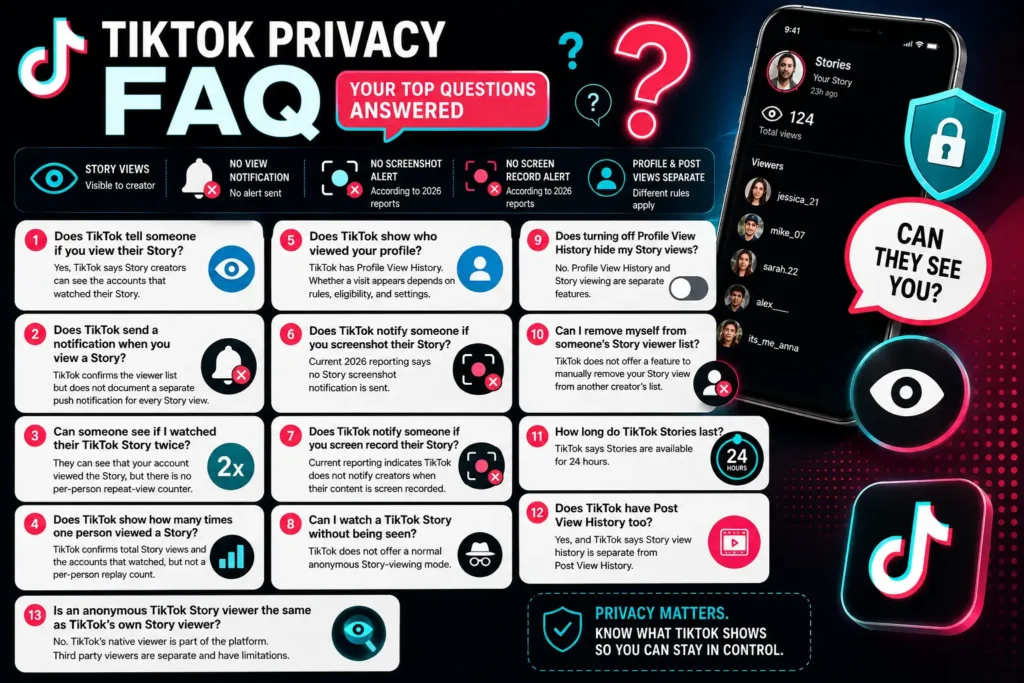
Q1: Does TikTok tell someone if you view their Story?
Yes, TikTok says Story creators can see the accounts that watched their Story.
Q2: Does TikTok send a notification when you view a Story?
TikTok’s public Story documentation confirms the viewer list but does not document a separate push notification for every Story view.
Q3: Can someone see if I watched their TikTok Story twice?
They can see that your account viewed the Story, but TikTok’s public documentation does not establish a per-person repeat-view counter.
Q4: Does TikTok show how many times one person viewed a Story?
TikTok confirms total Story views and the accounts that watched, but it does not publicly document a per-person replay count.
Q5: Does TikTok show who viewed your profile?
TikTok has a separate Profile View History feature. Whether a profile visit appears depends on the feature’s current rules, eligibility, and settings.
Q6: Does TikTok notify someone if you screenshot their Story?
Current 2026 reporting says TikTok does not send a Story screenshot notification.
Q7: Does TikTok notify someone if you screen record their Story?
Current reporting indicates that TikTok does not notify creators when their content is screen recorded.
Q8: Can I watch a TikTok Story without being seen?
TikTok does not provide a normal in-app anonymous Story-viewing mode. If you watch through your own account, assume your account can appear in the Story viewer information.
Q9: Does turning off Profile View History hide my Story views?
Don’t assume that it does. Profile View History and Story viewing are separate TikTok features. TikTok’s documentation treats them separately.
Q10: Can I remove myself from someone’s TikTok Story viewer list?
TikTok’s public Help Center does not document a feature that lets viewers manually remove their Story view from another person’s viewer information.
Q11: How long do TikTok Stories last?
TikTok says Stories are available for 24 hours.
Q12: Does TikTok have Post View History too?
Yes, TikTok has a separate Post View History feature, and TikTok explicitly says Story view history is separate from Post View History.
Q13: Is an anonymous TikTok Story viewer the same as TikTok’s own Story viewer?
No, TikTok’s native Story viewer is part of the TikTok platform. A third party viewer is a separate service and may have different availability and limitations.
Final Answer: What Does TikTok Actually Reveal?
If you remember only a few things from this guide, remember these:
1. Your TikTok Story view can be visible to the Story creator.
TikTok officially says creators can see the accounts that watched their Stories.
2. A Story viewer list is not the same thing as a notification.
The creator can check their viewer information even though TikTok does not document a separate push alert for every view.
3. TikTok does not publicly document a per-person repeat-view counter.
So don’t assume the creator can see that you watched a Story five or ten times.
4. Profile views are different from Story views.
TikTok has a separate Profile View History feature.
5. Screenshots and screen recordings are different from views.
Current reporting says TikTok does not send Story screenshot or screen-recording alerts.
6. There is no normal TikTok “incognito Story view” button.
If you don’t want your personal TikTok account associated with a public Story view, a public content web viewer may be an option, but you should understand its limitations.
In short, the biggest privacy mistake is thinking that “no notification” means “no one can see me.” For TikTok Stories, those are two different things.
If you want to browse public TikTok Stories more privately, you can explore TTStoryViewer.io and see whether the public Story you’re looking for is available.